Enterprise AI assistants are no longer a novelty budget line. They’re showing up as standard line items in productivity software contracts, and the pricing spread between the cheapest and most expensive options has widened to $47 per user per month. That’s before you add the base license most of these tools require.
The choice between Microsoft 365 Copilot, Google Gemini Enterprise, and Amazon Q Business isn’t just about features. It’s increasingly about which ecosystem you’re already locked into and whether you’re willing to pay a premium for deeper integration. And with per-user pricing swinging from $3 to $60 a month, the financial stakes of getting it wrong are higher than they first appear. A thousand-seat deployment at the wrong tier can cost an extra half-million dollars a year before anyone notices.
The Market Context
Before diving into individual products, the numbers around this market are worth understanding. The global enterprise AI agents market was valued at $5.23 billion in 2025 and is projected to grow at a 41.27% compound annual rate through 2035. The broader enterprise AI market hit an estimated $64.38 billion in 2026 alone, expanding at 34.8% annually. The slice focused specifically on AI assistants reached $22.7 billion. These aren’t experimental budgets anymore. They’re infrastructure spend, and the decisions companies make now about which platform to standardize on will lock in costs for years.
Pricing: The $47 Gap
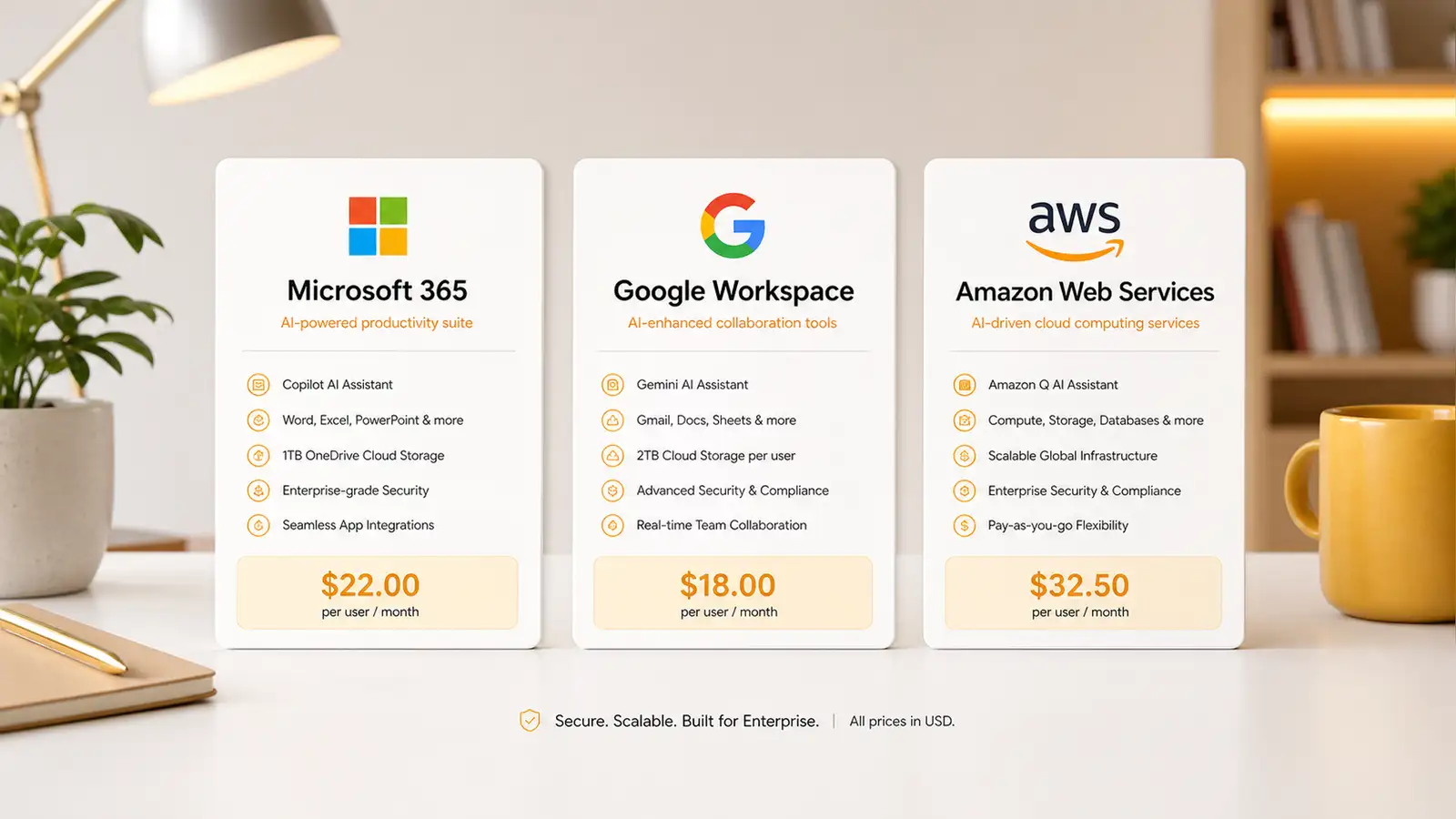
The headline number is hard to ignore. Amazon Q Business Lite starts at $3 per user per month. Google Gemini Enterprise Plus tops out at $50 per user per month on an annual plan, or $60 with no commitment. That’s a $47 to $57 gap between the cheapest and most expensive published tier, and it doesn’t include the base productivity licenses most of these tools require to function.
Microsoft sits in the middle with a more complicated pricing structure. Microsoft 365 Copilot Enterprise runs $30 per user per month, billed annually. A separate Copilot Business tier drops to $21 per user per month for smaller organizations, and Microsoft is running a promotional rate of $18 per user per month for Copilot Business customers between July and September 2026. Add a base Microsoft 365 license and the real cost depends on which bundle you’re already paying for. Business Basic plus Copilot Business comes to $27. Business Premium plus Copilot Business hits $43.
Amazon Q’s pricing is simpler by design. The Lite tier at $3 per user per month covers basic Q&A and document search within your connected data sources. The Pro tier at $20 per user per month adds custom plugins, advanced analytics, and the ability to build custom AI applications. There’s no base license requirement on top because Q Business connects to your existing tools rather than replacing them.
Google Gemini Enterprise Plus at $50 to $60 per user per month is the most expensive option, but it also bundles the most: access to Google’s latest models, deep Workspace integration, and enterprise-grade data controls. Whether that’s worth the premium depends entirely on whether your company already lives in Google Workspace.
Features: Integration Depth vs Flexibility
Microsoft 365 Copilot wins on integration with the Microsoft ecosystem, predictably. If your company uses Word, Excel, PowerPoint, Teams, and Outlook, Copilot works inside all of them. It can summarize email threads, generate presentations from meeting notes, and analyze Excel data with natural language queries. The tradeoff is that Copilot’s value is almost entirely tied to the Microsoft stack. If your team uses Slack instead of Teams or Google Docs instead of Word, a significant chunk of what you’re paying for doesn’t apply.
Google Gemini Enterprise Plus takes a similar approach but within Google’s ecosystem. Deep integration with Gmail, Docs, Sheets, and Meet. Gemini’s advantage over Copilot in head-to-head comparisons tends to show up in research and summarization tasks, where Google’s search infrastructure gives it a natural edge in pulling in external information. The Workspace integration is tighter than what Amazon Q can offer, but less comprehensive than Copilot’s Office integration simply because Google’s productivity suite has fewer applications.
Amazon Q Business takes a fundamentally different approach. Rather than integrating deeply with one productivity suite, it connects to whatever tools you already use — Slack, Jira, Salesforce, SharePoint, S3 buckets, and dozens of other enterprise data sources. Q Business doesn’t assume you live in one ecosystem. It assumes your data is scattered across several, which for most large organizations is the reality. The tradeoff is that Q Business can’t generate a PowerPoint slide or format a spreadsheet the way Copilot and Gemini can. It’s an assistant for finding information and answering questions, not for creating documents.
This difference in approach matters more than the pricing gap. If your primary use case is “find me the Q3 sales figures from the Slack thread where Sarah mentioned them,” Q Business is better designed for that than either Copilot or Gemini, which are optimized for their respective productivity suites. If your primary use case is “draft a project proposal based on these three documents,” Copilot or Gemini will do a better job because they’re built into the creation tools. The right tool depends on what you actually need the assistant to do, not which one has the flashiest demo.
Who Should Pick Which
If your company runs on Microsoft 365 and most of your workflows happen inside Office apps, Copilot is the obvious choice. The integration is deeper than anything the competition can offer, and the pricing, while not cheap, is competitive at the Business tier. The promotional rate through September 2026 makes this a particularly good moment to try it if you’ve been on the fence.
If your company runs on Google Workspace, Gemini Enterprise Plus is the equivalent obvious choice for the same reasons. The premium pricing is harder to justify for teams that don’t heavily use Google’s productivity tools, but for Workspace-native organizations, the integration is worth it. The $60 month-to-month pricing is steep, so commit annually if you’re going this route.
If your company uses a mix of tools and you need an assistant that works across Slack, Jira, Salesforce, and internal knowledge bases, Amazon Q Business is the only one of the three designed for that use case. At $3 per user per month for the Lite tier, it’s also the cheapest way to test whether an enterprise AI assistant delivers value before committing to a larger deployment. The Pro tier at $20 per user per month is competitive with Microsoft’s Copilot Business pricing once you factor in the base license Copilot requires.
Total Cost of Ownership: A 100-Seat Reality Check
The per-user monthly price only tells part of the story. For a 100-person company, the annual cost looks very different depending on which ecosystem you’re in and whether you’re starting from scratch or adding AI to an existing license.
A fully Microsoft shop paying for Business Premium at $22 per user per month is already spending $26,400 a year on licenses. Adding Copilot Business at $21 per user per month brings that to $51,600 total. A fully Google shop on Workspace Enterprise Standard at roughly $20 per user per month spends $24,000 a year, and adding Gemini Enterprise Plus at $50 per user per month brings it to $84,000. That’s a $32,400 annual difference for a hundred seats, and the gap widens at scale.
Amazon Q Business avoids the base license problem because it connects to existing tools rather than requiring a specific productivity suite. A 100-person company on Q Business Pro at $20 per user per month pays $24,000 a year, period. The difference from the Google option is $60,000 a year. The difference from the Microsoft option is $27,600 a year if you’re already paying for Office, or $24,000 if you’re not.
These numbers explain why Amazon is gaining traction with mid-market companies that run heterogeneous tool stacks. The math is straightforward, and it doesn’t depend on which email client you use.
The Hidden Factor: Data Privacy and Compliance
One dimension that doesn’t show up in pricing tables but matters enormously in procurement decisions is where the data goes. Microsoft and Google both train their models on customer data by default unless you opt out, and the opt-out process varies by plan tier and region. Amazon Q Business explicitly does not train on customer data, which Amazon has positioned as a differentiator for regulated industries.
For companies in healthcare, financial services, or any sector with strict data residency requirements, this single factor can override pricing and features entirely. It’s worth checking the current data handling policies before committing to any of these platforms, because the defaults change and the documentation isn’t always easy to find.
The Bottom Line
The enterprise AI assistant market is settling into three clear lanes. Microsoft owns the Office ecosystem. Google owns the Workspace ecosystem. Amazon owns the everything-else ecosystem. The pricing reflects how much lock-in each vendor thinks they have, not how much the technology costs to deliver. That’s why Amazon Q is cheapest: Amazon knows you can leave without disrupting your productivity stack. That’s also why Gemini Enterprise Plus is most expensive: Google knows Workspace customers have fewer alternatives for deep integration with their existing tools.
The $47 gap between the cheapest and most expensive tier is a market signal. It says the value of these tools depends far more on integration and ecosystem than on the underlying AI models, which are converging in quality across all three providers. When the model performance is similar, the decision comes down to which platform already has your data. And for most companies, that decision was made years ago.
What none of these pricing comparisons capture is the total cost of ownership over a multi-year contract. The enterprise AI assistants market hit $22.7 billion in 2026, and the broader enterprise AI market reached $64.38 billion, growing at nearly 35% annually. At those numbers, a $10 per-user monthly difference on a thousand-seat deployment adds up to $120,000 a year. That’s enough to matter, and it’s why the pricing spread deserves more attention than it usually gets in feature-focused comparisons. The cheapest option isn’t always the best, but the most expensive one better justify every dollar.