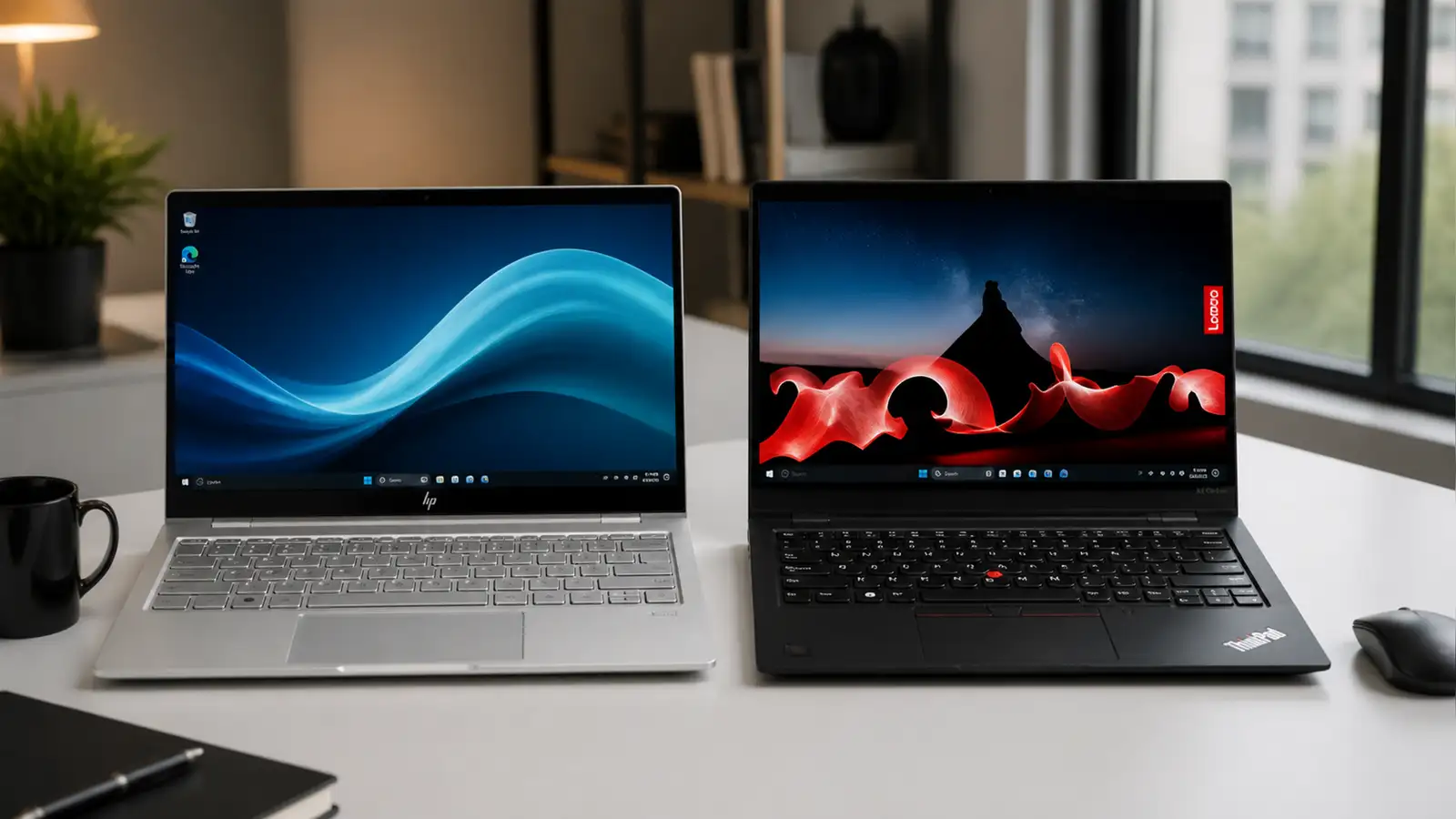
The business laptop market has two dominant players: HP’s EliteBook line and Lenovo’s ThinkPad X1 Carbon. Both target professionals who need reliability, security, and performance in a portable package. The HP EliteBook X G1a 14 AI and the Lenovo ThinkPad X1 Carbon Gen 13 are the latest iterations, and they take different approaches to the same problem: how to build a laptop that works as hard as you do.
One bets on AMD’s latest processor and generous storage. The other bets on a gorgeous OLED display and lighter weight. After testing both, one pulls ahead.
Design and build quality
The ThinkPad X1 Carbon Gen 13 weighs 2.13 pounds. The EliteBook X G1a weighs 3.2 pounds. That’s a significant difference for two laptops with the same 14-inch screen size. If you carry your laptop between meetings, through airports, or across campus, you’ll feel that extra pound.
Both feel solid. The ThinkPad’s carbon fiber and magnesium alloy chassis has that classic ThinkPad rigidity without feeling heavy. The EliteBook’s aluminum build is sturdy but noticeably thicker at 0.56 inches compared to the ThinkPad’s 0.56 inches. Wait, those are the same. But the EliteBook’s weight distribution makes it feel chunkier in a bag.
The ThinkPad’s keyboard is, as always, excellent. The EliteBook’s keyboard is good too, but ThinkPad keyboards have set the standard for business typing for a reason. If you type all day, the ThinkPad wins this category.
Display
This is where the comparison gets lopsided. The EliteBook ships with a 14-inch, 1920 x 1200 IPS display at 60Hz. It hits 367 nits of brightness and covers 72% of the DCI-P3 color spectrum. It’s functional. It’s not exciting.
The ThinkPad comes with a 14-inch, 2880 x 1800 OLED display at 120Hz. That’s higher resolution, a better panel technology, and a faster refresh rate. The colors are richer, the blacks are deeper, and the motion is smoother. You can upgrade the EliteBook to a 2.8K OLED, but that pushes the price to $2,749, which is $550 more than the model we tested.
For the price as tested, the ThinkPad’s display is in a different league.
Performance
The EliteBook runs an AMD Ryzen AI 9 HX 375 processor with AMD Radeon 890M integrated graphics. The ThinkPad uses an Intel Core Ultra 7 258V with Intel Arc 140V integrated graphics. Both have 32GB of RAM.
In raw processing power, the AMD chip in the EliteBook edges ahead. It handles multi-threaded workloads better, which matters if you’re running VMs, compiling code, or doing heavy data processing. The Intel chip in the ThinkPad is no slouch, but AMD’s latest mobile processors have been impressive.
For everyday business tasks, email, spreadsheets, video calls, document editing, you won’t notice a difference. Both are fast enough for anything a business user typically throws at them. The EliteBook pulls ahead in sustained workloads. The ThinkPulls ahead in burst performance thanks to Intel’s architecture.
The storage difference matters: the EliteBook ships with 1TB SSD while the ThinkPad comes with 512GB. If you store large files locally, that extra storage is worth something. But most business users work primarily in the cloud, and 512GB is usually enough.
Battery life
The EliteBook lasted 12 hours and 34 minutes in our testing. The ThinkPad lasted 11 hours and 28 minutes. Both will get you through a full workday, but the EliteBook has about an hour of extra endurance.
That said, the ThinkPad’s OLED display uses more power than the EliteBook’s IPS panel. If you’re willing to trade battery life for display quality, the ThinkPad’s trade-off is worth it. If battery life is your top priority, the EliteBook wins here.
Port selection and connectivity
Both laptops include Thunderbolt 4 ports, USB-A, HDMI, and a headphone jack. The EliteBook has a nano SIM slot for cellular connectivity, which is useful for travelers who need always-on internet. The ThinkPad offers similar port selection but omits the SIM slot.
For docking station compatibility, both work well with their respective ecosystems. HP’s docking solutions and Lenovo’s ThinkPad docks are both mature and reliable.
Security and management
Business laptops live and die by their security features. Both include TPM 2.0 chips, fingerprint readers, and IR cameras for Windows Hello. The EliteBook has HP’s Sure Start BIOS recovery and Sure View privacy screen option. The ThinkPad has Lenovo’s dTPM and ThinkShield security suite.
Both are equally capable for enterprise deployment. IT departments will find the management tools familiar and effective on either platform.
Price and value
The EliteBook X G1a as tested costs $2,199. The ThinkPad X1 Carbon Gen 13 as tested costs $1,999. The ThinkPad is $200 cheaper while offering a significantly better display, lighter weight, and comparable performance.
The EliteBook justifies its price with more storage and slightly better battery life. But the ThinkPad’s OLED display and lower weight make it the better overall value for most business users.
The verdict
The Lenovo ThinkPad X1 Carbon Gen 13 wins this comparison. The OLED display alone would be enough to tilt the scales, but the lighter weight and lower price seal it. The EliteBook is a solid laptop with better battery life and more storage, but those advantages don’t outweigh the ThinkPad’s display quality and portability.
If you prioritize battery life above all else, the EliteBook is the better choice. For everyone else, the ThinkPad X1 Carbon Gen 13 is the business laptop to beat in 2026.
Who should buy the HP EliteBook X G1a
The EliteBook makes sense if you need maximum battery life for long workdays away from power outlets. The extra hour of endurance can matter when you’re on a transatlantic flight or spending all day at a conference without reliable charging. The 1TB storage is also a genuine advantage if you work with large files locally, like video editors, architects, or data analysts who need quick access to big datasets.
The AMD processor’s multi-threaded performance is better for sustained workloads. If you regularly run virtual machines, compile large codebases, or process data in parallel, the EliteBook will complete those tasks faster. For most business users, this advantage is marginal, but for power users it’s real.
HP’s Sure View privacy screen option is worth mentioning if you work in open offices or travel frequently and need to prevent shoulder surfing. It’s an add-on that increases the price, but it’s a feature the ThinkPad doesn’t match at this price point.
Who should buy the ThinkPad X1 Carbon Gen 13
The ThinkPad is the better choice for almost everyone else. The OLED display makes a noticeable difference in daily use. Spreadsheets look sharper, presentations pop, and even reading email feels more pleasant on a screen with deep blacks and vivid colors. The 120Hz refresh rate makes scrolling smoother, which reduces eye strain over long work sessions.
At 2.13 pounds, the ThinkPad is one of the lightest 14-inch business laptops available. If you commute with your laptop every day, that weight difference adds up. Your shoulder will thank you by Friday.
The $200 price difference is hard to ignore. You’re getting a better display, lighter weight, and comparable performance for less money. The only things you give up are battery life and storage, both of which are manageable with good habits and cloud storage.
Software and ecosystem considerations
Both laptops ship with Windows 11 Pro, which is standard for business deployment. The EliteBook includes HP’s Wolf Security suite, which adds endpoint protection and BIOS-level security. The ThinkPad includes Lenovo’s ThinkShield, which covers similar ground.
If your organization standardized on a particular ecosystem, that might make the decision for you. HP shops will find the EliteBook integrates smoothly with existing HP management tools. ThinkPad shops will appreciate the consistency with existing ThinkPad deployments.
For individual buyers, the software differences are minimal. Both run the same operating systems, support the same applications, and work with the same peripherals. The choice comes down to hardware.
The bottom line
The Lenovo ThinkPad X1 Carbon Gen 13 is the better business laptop for most people. Its OLED display, lighter weight, and lower price make it the smarter purchase. The HP EliteBook X G1a is a capable machine with better battery life and more storage, but those advantages don’t overcome the ThinkPad’s display quality and portability.
Buy the ThinkPad unless you specifically need the EliteBook’s battery life or storage. Either way, you’re getting a solid business laptop that will last for years.
Real-world usage scenarios
For the road warrior who spends more time in airports than offices, the ThinkPad’s lighter weight and better display make it the better companion. You’ll appreciate the OLED screen during long flights, and your bag will be lighter when you’re sprinting through terminals.
For the desk-bound professional who docks their laptop at 9 AM and undocks at 5 PM, the EliteBook’s extra battery life matters less, but its 1TB storage might matter more if you keep large project files locally. The AMD processor’s multi-threaded performance will also benefit power users who run multiple applications simultaneously.
For the hybrid worker who splits time between office and home, the ThinkPad’s portability wins. You’ll barely notice it in your bag during commutes, and the OLED display looks great in both bright offices and dim home setups. The EliteBook’s IPS panel struggles more in low-light environments.
For the executive who needs a laptop that looks professional in boardrooms, both work well. The ThinkPad’s understated design is classic business. The EliteBook’s slightly more modern look might appeal to some. Neither will look out of place in a meeting with clients or colleagues.
Long-term ownership
Business laptops need to last. Both HP and Lenovo offer three-year warranties with options for accidental damage protection. The ThinkPad’s keyboard is known for lasting years without developing the wobble or mushiness that plagues cheaper laptops. The EliteBook’s keyboard is also durable, but ThinkPad keyboards have a longer track record.
Battery degradation is a concern for any laptop. The EliteBook’s larger battery capacity means it has more room to degrade before you notice. The ThinkPad’s smaller battery will show degradation sooner, but OLED power efficiency helps offset this over time.
Repairability favors the ThinkPad slightly. Lenovo’s parts availability and service documentation are more accessible than HP’s for the EliteBook line. If your IT department does in-house repairs, this matters.