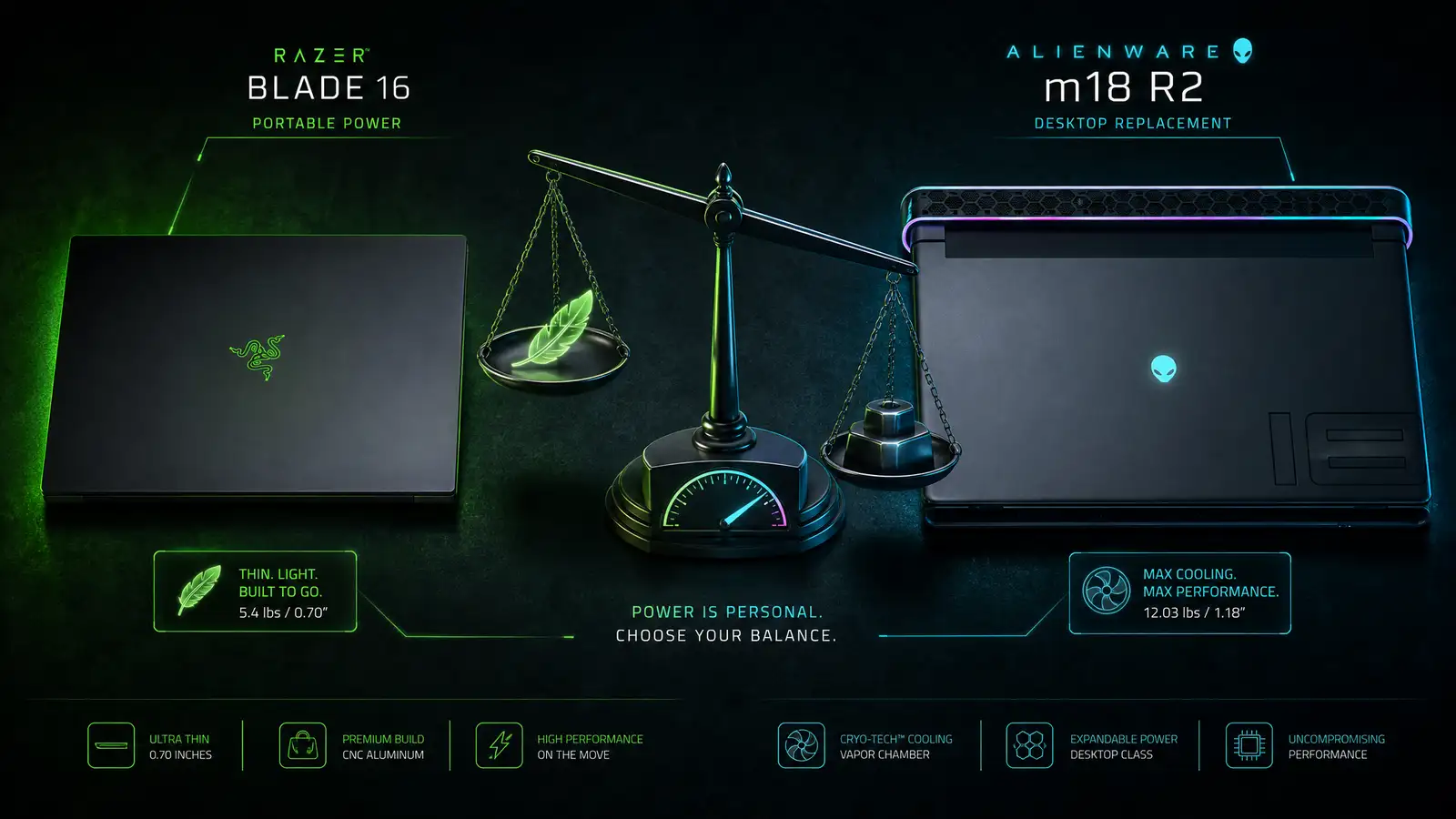
Two gaming laptops, one GPU, completely different philosophies. The Razer Blade 16 is a 16-inch laptop that tries to be a MacBook Pro that games. The Alienware m18 R2 is an 18-inch desktop replacement that laughs at the concept of portability.
Both can be configured with NVIDIA’s RTX 5090 laptop GPU. Both cost more than most people spend on a used car. And both deliver desktop-class gaming performance in a portable form factor — with very different definitions of “portable.”
Design and Portability
The Razer Blade 16 is the best-built gaming laptop on the market. The CNC-milled aluminum chassis feels as premium as anything Apple makes. At 0.87 inches thick and 5.4 pounds, it slides into a backpack without dominating it. The matte black finish resists fingerprints reasonably well, and the per-key RGB keyboard is satisfying without being garish.
The Alienware m18 R2 is a tank. It weighs 8.9 pounds, measures 1.1 inches thick, and requires a backpack with a dedicated 18-inch laptop compartment. The design is unapologetically gamer — RGB light ring around the rear exhaust, customizable AlienFX lighting, and a silhouette that announces itself before you open the lid. The build quality is good, but the plastic-heavy construction does not feel as premium as the Blade’s unibody aluminum.
If you carry your laptop daily, the Blade is the only realistic choice. If your laptop lives on a desk 90% of the time, the Alienware’s size matters less.
Display
The Blade 16 offers a dual-mode mini-LED display that switches between 4K at 120Hz and 1080p at 240Hz at the press of a button. In 4K mode, it reaches 1,000 nits of peak brightness for HDR content. In 240Hz mode, it is fast enough for competitive esports. Color accuracy is excellent out of the box, covering 100% of DCI-P3.
The Alienware m18 R2 features an 18-inch 2560 x 1600 IPS panel at 165Hz with G-Sync. The matte finish handles reflections well, and colors are vibrant at 100% DCI-P3 coverage. The larger screen is genuinely more immersive for single-player games, though the lower pixel density and lack of mini-LED backlighting mean HDR content does not pop the way it does on the Blade.
For mixed use — creative work, content consumption, and gaming — the Blade’s dual-mode display is more versatile. For pure gaming immersion on the biggest screen possible, the Alienware delivers.
Performance
Both laptops can be configured with Intel Core i9-14900HX and NVIDIA RTX 5090 laptop GPU with 24GB of VRAM. On paper, they are nearly identical. In practice, cooling makes the difference.
The Alienware m18 R2 uses a quad-fan cooling system with vapor chamber and Element 31 thermal interface material. The larger chassis allows for better airflow and sustained boost clocks. In a 30-minute Cyberpunk 2077 run at max settings (4K, path tracing, DLSS balanced), the Alienware maintained 68 fps average while the Blade held 62 fps after thermal throttling kicked in.
The Blade 16’s vapor chamber cooling is impressive for its size but cannot match the thermal headroom of a machine that is 65% larger. If you want the absolute highest sustained performance, the Alienware wins. If you want 95% of that performance in a machine you can carry without back pain, the Blade is the compromise worth making.
Keyboard and Trackpad
The Blade 16 has a keyboard with 1.5mm of key travel that feels precise and satisfying. The per-key RGB lighting is customizable through Razer Synapse. The trackpad is enormous — glass, smooth, and MacBook-class. It is the best trackpad on any Windows laptop.
The Alienware m18 R2’s keyboard has deeper travel at 1.8mm, which some gamers prefer for tactile feedback. The optional Cherry MX mechanical keyboard is a genuine upgrade — clicky, responsive, and closer to a desktop keyboard experience than any other laptop. The trackpad is fine but not exceptional.
For typing and general use, the Blade’s keyboard and trackpad are better. For a mechanical typing experience, the Alienware’s Cherry MX option is unique.
Ports and Expandability
The Alienware wins on ports: two Thunderbolt 4, three USB-A 3.2, HDMI 2.1, mini DisplayPort, 2.5G Ethernet, SD card reader, and a headphone jack. RAM and storage are user-upgradeable via a bottom panel that removes with four screws.
The Blade 16 has: two Thunderbolt 4, three USB-A 3.2, HDMI 2.1, SD card reader, and headphone jack. RAM is soldered on most configurations. Storage is user-upgradeable.
If you need maximum I/O and upgradeability, the Alienware’s larger chassis pays dividends.
Verdict
The Razer Blade 16 is the best premium gaming laptop for people who need one machine for everything — gaming, creative work, and daily portability. The build quality, display, and trackpad are class-leading, and the performance is more than enough for gaming at 4K.
The Alienware m18 R2 is the better pure gaming machine. The larger display is more immersive, the cooling sustains higher performance, and the optional mechanical keyboard is a joy. If your laptop stays on a desk and you want the biggest, fastest gaming experience possible without buying a desktop, the Alienware is the one to get.