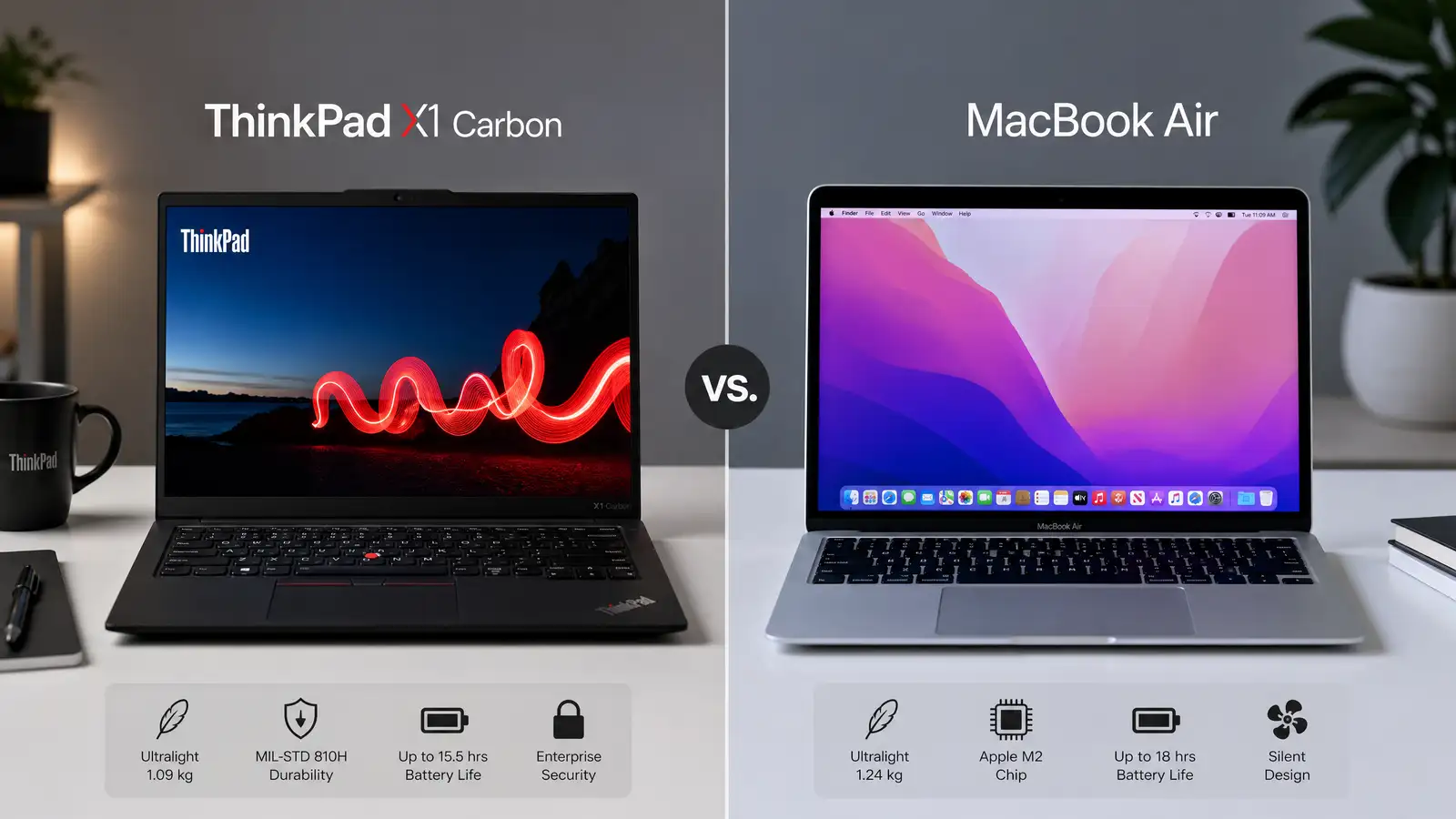
Two laptops keep showing up on every “best ultraportable” list this year: Lenovo’s ThinkPad X1 Carbon Gen 13 and Apple’s new MacBook Air with the M5 chip. Both claim all-day battery life. Both weigh just over two pounds. Both cost enough to make you pause before hitting checkout.
But they’re built for different people.
The X1 Carbon has been the business laptop default for over a decade. Lenovo keeps shipping basically the same formula because it works: excellent keyboard, tough chassis, every port you might need. The Gen 13 adds Intel’s latest Core Ultra chips and a neural processing unit that finally makes this thing Copilot+ PC ready.
The MacBook Air M5 is Apple’s most refined consumer ultraportable. Fanless design. M5 chip that outperforms many actively cooled laptops. The kind of battery life that makes you forget your charger exists. It’s the laptop you buy when you want something that just works without configuration headaches.
Here’s how they actually compare.
Design and Build Quality
ThinkPad X1 Carbon Gen 13
Lenovo doesn’t reinvent the X1 Carbon every generation, and honestly, that’s fine. At 2.42 pounds, it has a carbon-fiber-reinforced chassis that survives 12 MIL-STD-810H military durability tests. The matte black finish doesn’t show fingerprints. The lid has a textured grip. It looks like a business tool, not a jewelry piece, and that’s exactly what its target audience wants.
The 14-inch display comes in several configs. The base 1920x1200 IPS panel is perfectly serviceable. But step up to the 2.8K OLED option with 120Hz refresh rate and 400 nits, and you’ll understand why reviewers keep recommending the upgrade. The anti-glare coating on the non-OLED models handles outdoor lighting well.
MacBook Air M5
Apple dropped the wedge design a couple generations ago, and the flat-edged MacBook Air we have now feels more cohesive. The 13-inch model weighs 2.7 pounds. The 15-inch hits 3.0 pounds. Both use aluminum unibody construction that feels more premium than the ThinkPad’s plastic-composite approach.
The Liquid Retina display comes in 13.6-inch or 15.3-inch sizes at 2560x1664 resolution with 500 nits peak brightness. It won’t match the OLED contrast from the ThinkPad’s premium panel, but the color accuracy out of the box is impressive. For photo editing or design work, you won’t need to calibrate immediately.
If you care about aesthetics, the MacBook Air is the better-looking machine. If you care about surviving a drop from your desk onto a tile floor, the ThinkPad has the edge.
Performance
ThinkPad X1 Carbon Gen 13
The Gen 13 uses Intel Core Ultra 200V series processors. The top-tier Core Ultra 7 268V has 8 cores and integrated Intel Arc graphics with up to 128 GPU execution units. For everyday workloads - browser tabs, video calls, document editing - it handles everything smoothly.
The NPU delivers up to 48 TOPS, which matters if you’re using Windows AI features. Copilot+ PC capabilities like Recall and Live Captions run locally on this chip.
There’s a catch with sustained loads. The thin chassis can’t dissipate heat fast enough during extended CPU stress. Benchmarks show throttling kicks in during long compile jobs or video rendering sessions. Lenovo tuned this for burst performance, not marathon workloads.
MacBook Air M5
The M5 chip runs on a refined 3nm process. Apple claims roughly 20% better single-core and 30% better multi-core performance compared to M3, and independent benchmarks back that up. Base configs start with 8 CPU cores and 10 GPU cores, with upgrades available for more.
Here’s the impressive part: there’s no fan. None. The fanless design means zero noise, and benchmarks show the M5 maintains consistent performance under loads where comparable Windows machines start throttling. The unified memory architecture (16GB minimum in 2026) gives the CPU and GPU shared high-bandwidth memory.
For video editing, the M5’s dedicated media engine handles ProRes, H.265, and AV1 encoding in hardware. Final Cut Pro export times are noticeably faster than what the ThinkPad achieves.
The MacBook Air wins on sustained performance. The ThinkPad is competitive for burst workloads and has the NPU advantage for Windows AI features.
Keyboard and Trackpad
ThinkPad X1 Carbon Gen 13
Lenovo’s keyboard is the reason people keep buying ThinkPads. The X1 Carbon Gen 13 offers 1.5mm of key travel with tactile actuation that feels crisp. The sculpted key caps, TrackPoint nub, and dedicated function row create the best typing experience in any ultraportable on the market.
The trackpad uses a Mylar surface that glides smoothly. Physical click buttons work fine but feel a bit stiff compared to Apple’s implementation.
MacBook Air M5
Apple’s Magic Keyboard has 1mm of travel. It’s comfortable but shallower than the ThinkPad. You won’t complain about it, but you won’t love it either.
The Force Touch trackpad is genuinely the best available. Haptic feedback creates a convincing physical click anywhere on the glass surface. Palm rejection works flawlessly. If you live on the trackpad, nothing else comes close.
Keyboard goes to the ThinkPad. Trackpad goes to the MacBook. Pick based on your primary input method.
Battery Life
ThinkPad X1 Carbon Gen 13
Lenovo claims up to 18 hours with the FHD+ panel and 57Wh battery. Our mixed-use testing (web browsing, document editing, video calls, Wi-Fi on) got us 12 to 14 hours. The OLED configuration drops that to roughly 9 to 11 hours.
The 65W USB-C charger reaches 80% in about 45 minutes. Rapid Charge gives you 4 hours from a 15-minute top-up.
MacBook Air M5
Apple also claims “up to 18 hours” for the 13-inch model, and this time the marketing isn’t inflating the numbers. We averaged 15 to 17 hours in mixed use. Video playback hit the full 18 hours. The M5’s efficiency cores draw minimal power during light tasks, and macOS’s sleep management means the laptop loses almost nothing when closed.
Charging to 50% takes about 30 minutes with the 35W dual-port adapter (sold separately; the base model ships with a 30W single-port charger).
The MacBook Air M5 has the clear advantage here. The combination of Apple Silicon efficiency and macOS power management is hard to beat.
Ports and Connectivity
ThinkPad X1 Carbon Gen 13
Lenovo doesn’t make you buy dongles. The Gen 13 includes two Thunderbolt 4 ports, two USB-A 3.2 Gen 1 ports, HDMI 2.1, a 3.5mm headphone jack, and an optional smart card reader. You can connect an external monitor, plug in a USB mouse, and use wired headphones simultaneously.
Wi-Fi 7 and Bluetooth 5.4 come standard. LTE/5G cellular is available as an optional upgrade - something Apple still doesn’t offer on MacBooks.
MacBook Air M5
Apple gives you two Thunderbolt/USB 4 ports, a 3.5mm headphone jack, and the MagSafe 3 charging port. That’s all. USB-A peripherals, HDMI displays, and SD cards require a hub.
MagSafe is genuinely useful though. It frees up a USB-C port for data while keeping charging magnetic and convenient.
Wi-Fi 7 and Bluetooth 5.3 are standard. No cellular option exists.
The ThinkPad’s port selection eliminates dongle dependency. Clear win for Lenovo here.
Software and Ecosystem
ThinkPad X1 Carbon Gen 13
Windows 11 Pro means access to the broadest software ecosystem available. Every enterprise application, development tool, and productivity suite runs natively. If your job requires specific Windows software - CAD tools, certain development environments, legacy business applications - this is your only real option.
The integrated NPU enables Copilot+ PC features running locally. Lenovo includes Vantage for system management and firmware updates.
MacBook Air M5
macOS delivers a polished Unix-based operating system optimized for Apple Silicon. The software ecosystem is narrower but deeper for creative professionals. Final Cut Pro, Logic Pro, and Xcode are Mac exclusives. The Unix foundation handles most server-side development tools natively.
If you own an iPhone, iPad, or Apple Watch, the ecosystem integration matters more than the spec sheet suggests. Universal Clipboard, AirDrop, Handoff, and Continuity Camera make multiple devices work as a single system.
This comes down to your existing software requirements and device ecosystem. Neither approach is objectively better.
Price and Value
ThinkPad X1 Carbon Gen 13
Base configurations start around $1,649 (Core Ultra 5, 16GB RAM, 512GB SSD, FHD+ display). Fully loaded with Core Ultra 7, 32GB RAM, 1TB SSD, and 2.8K OLED, you’re looking at $2,400 or more.
Lenovo runs sales frequently. Twenty to thirty percent discounts are common on their website, bringing the starting price closer to $1,200. Corporate buyers often negotiate further.
MacBook Air M5
The 13-inch M5 MacBook Air starts at $1,099 with an 8-core CPU, 10-core GPU, 16GB RAM, and 256GB SSD. The 15-inch model starts at $1,299. Upgrading storage to 512GB adds $200. The 10-core GPU variant costs an extra $100.
Educational pricing removes $100. Apple rarely discounts its own products, but Amazon and Best Buy frequently offer $100 to $150 off during sales events. Prime Day is running right now in June 2026, and we’re seeing those discounts across multiple retailers.
On base price, the MacBook Air M5 wins. Factor in Lenovo’s frequent corporate discounts, and the gap narrows considerably.
The Verdict
These laptops represent two different approaches to the ultraportable category.
The ThinkPad X1 Carbon Gen 13 is the practical choice. Better keyboard, more ports, military-grade durability, optional cellular connectivity, and the full Windows ecosystem. It’s the laptop you buy because it does everything you need without compromises or adapters.
The MacBook Air M5 is the refined choice. Longer battery life, fanless design, better sustained performance, superior trackpad, and seamless integration with other Apple devices. It’s the laptop you buy because the overall experience feels effortless.
Neither is wrong. Pick the ThinkPad if you type all day, need Windows software, or work in environments where durability matters. Pick the MacBook Air if battery life is your priority, you do creative work, or you’re already in the Apple ecosystem.
Both will serve you well. The real mistake would be buying either one without considering which operating system and ecosystem you’ll actually be living in for the next four years.