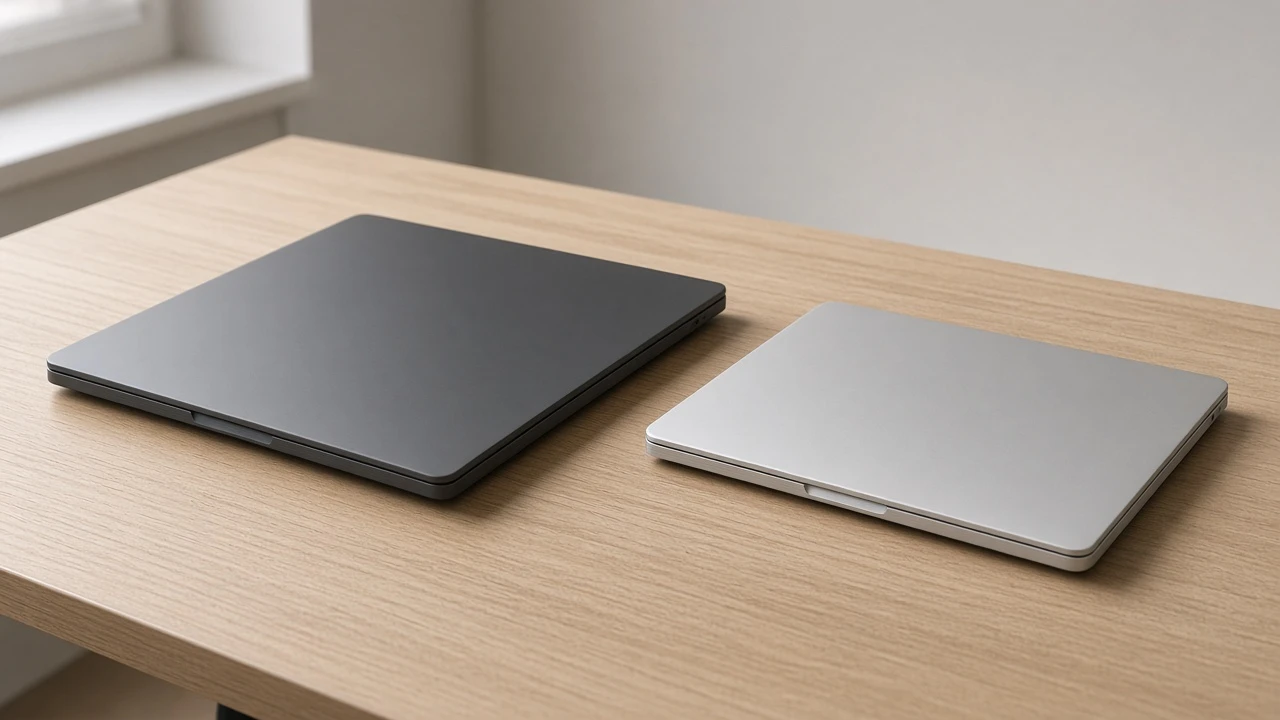
A November 14, 2026 comparison post put two creator laptops on the same spec sheet: the ASUS ProArt P16 H7606WP-SR300W and the 14.2-inch Apple MacBook Pro with the base M5 (10 CPU cores, 10 GPU cores). The pair is not a new launch. The comparison page says both machines arrived in 2025. What is current is the side-by-side itself, and the dollar ranges attached to it were still being published as market estimates in mid-November 2026.
The useful question is narrower than “which creator laptop is better.” These configurations do not compete on the same constraint. One row is a 16-inch Windows machine with a discrete NVIDIA GeForce RTX 5070, 64GB of RAM, and a 2TB SSD. The other is a 14.2-inch Mac with an integrated 10-core GPU, 24GB of unified memory, and a 1TB SSD. If your work needs CUDA, a large memory pool, or a bigger panel, the ProArt’s sheet answers that before the price does. If you need a lighter chassis and a manufacturer battery rating measured in a full day of video playback, the Mac’s sheet answers that instead. Neither page declares an overall winner. The comparison highlights individual rows and leaves the choice to the workload.
The figures below come from that comparison page and from the matching MacBook Pro model page. They are listed specifications and a retailer’s estimated ranges, not a lab session.
How to read the two sheets
The comparison locks each side to one configuration, not to the whole product family. On the ASUS side the model code is H7606WP-SR300W. On the Apple side it is the 14.2-inch M5 with 10 CPU cores and 10 GPU cores, listed with 24GB of memory and a 1TB SSD. A different ProArt RAM option, or an M5 Pro or M5 Max MacBook Pro, would be a different comparison. The site already has a separate ProArt P14 versus M5 Max piece. This one is the 16-inch RTX configuration against the base 14-inch M5.
That lock-in matters because neither machine is a good candidate for a later memory or storage upgrade. The Mac model page is explicit: unified memory is part of the chip package, and the internal SSD is not user-upgradeable. The comparison page tells buyers to plan as if the ProArt cannot be upgraded either, because thin creator laptops in this class usually do not offer a simple RAM swap. The sheet you buy is the sheet you keep.
| Spec | ASUS ProArt P16 H7606WP-SR300W | MacBook Pro 14.2-inch M5 (10 CPU / 10 GPU) |
|---|---|---|
| Listed price range | $2,685 to $3,281 | $2,271 to $2,776 |
| Display | 16-inch, 2880 x 1800, OLED, 120Hz | 14.2-inch, 3024 x 1964, Liquid Retina XDR mini-LED, ProMotion, 120Hz |
| HDR brightness (as listed) | Not stated on the comparison row | 1000 nit sustained / 1600 nit HDR peak |
| CPU | AMD Ryzen AI 9 HX 370, 12 cores, 24 threads, 2.00 to 5.10 GHz, 24MB cache | Apple M5 |
| GPU | NVIDIA GeForce RTX 5070, 8GB GDDR7, 128-bit | Apple M5 integrated 10-core GPU |
| Memory | 64GB | 24GB unified |
| Storage | 2TB NVMe SSD | 1TB NVMe SSD (PCIe) |
| Battery | 90Wh, runtime not listed | 72.4Wh, 24 hours (manufacturer video playback) |
| Weight | 1.85 kg | 1.55 kg |
| Chassis | 354.9 x 246.9 x 17.3 mm | 312.6 x 221.2 x 15.5 mm |
| Wireless | Wi-Fi 7 (802.11be), Bluetooth 5.4 | Wi-Fi 6E (802.11ax), Bluetooth 5.3 |
| OS | Windows 11 Home | macOS Tahoe |
Source for the table: the ProArt P16 versus MacBook Pro 14 M5 comparison. Mac rows are repeated on the MacBook Pro 14.2-inch M5 model page.
The dollar ranges overlap, even where the summary says 15 percent
The comparison lists the ProArt at $2,685 to $3,281 and the MacBook Pro at $2,271 to $2,776. It then summarizes the Mac as about 15 percent cheaper. That summary matches the endpoints. The low Mac figure is 15.4 percent under the low ProArt figure, and the high Mac figure is 15.4 percent under the high ProArt figure. The same page is also the source of the “about 15 percent” line, so the percentage is their reading of those bands, not an official discount.
The bands still overlap. Anything from $2,685 to $2,776 sits inside both ranges. A shopper who compares the cheapest listed Mac with the most expensive listed ProArt is looking at a much wider gap than a shopper who hits the overlap. Treat the 15 percent line as a description of the two endpoints, not as a guaranteed street-price advantage on the day you buy.
There is a second caveat, and it applies firmly to the Mac number. The model page says that $2,271 to $2,776 range is an estimated market price converted from Turkish lira at the central bank rate of November 13, 2026. It is not printed here as an Apple US sticker price. The comparison page lists the ProArt range in dollars without repeating that conversion note on the ASUS figure. Until a buyer checks a local retailer, both numbers are listed ranges on a comparison site, and only the Mac range is explicitly documented as a converted estimate.
What the ranges do show is the shape of the deal. The ProArt configuration in this row includes a discrete RTX 5070, 64GB of RAM, and 2TB of storage. The Mac configuration includes 24GB and 1TB, with graphics inside the M5. The comparison page says the price gap looks modest once you account for the extra memory and storage. That is a fair reading of the sheet, and it is also incomplete: the Mac is selling a different display size, a different operating system, and a published battery-life rating the ProArt row does not have. Memory and storage are not the only things the extra money might be buying, and they are not the only things a buyer might be giving up.
Twelve threads against four performance cores
The ProArt’s processor row is specific. The AMD Ryzen AI 9 HX 370 is listed as 12 cores and 24 threads, with clocks from 2.00 GHz to 5.10 GHz and 24MB of cache. The comparison prose adds a split the spec table does not print on its own: four full Zen 5 cores and eight compact Zen 5c cores, plus an XDNA 2 NPU that the page says qualifies the laptop for Windows Copilot+ features. Those core-type details are the page’s description of the chip, not a separate AMD datasheet opened for this piece. The countable facts in the table are the 12 cores, 24 threads, the clock span, and the 24MB cache.
The Mac side of the same table says only “Apple M5.” The model page fills that in. It describes a 10-core design on a 3-nanometer process, split into four performance cores and six efficiency cores, with a 16-core Neural Engine. Graphics sit on a 10-core integrated GPU, and that page says those GPU cores include Neural Accelerators for AI work that runs on the GPU. Again, that is the model page’s account of the chip. It is consistent across the comparison prose and the model page, which is as far as these two sources go.
The practical split follows from the thread counts, not from a benchmark that neither page publishes for both machines. A 12-core, 24-thread processor has more hardware threads to put on a long export, a compile, or a batch of photos. A 10-core chip with six of those cores aimed at efficiency is built to keep ordinary work off the performance cores. The comparison page makes that exact point: office work, browsing, and programming are covered by either machine, and the difference shows up in sustained all-core work, where the ProArt has more threads and the M5 is described as delivering its speed with less noise and less power. No watt figure for that claim is printed. The claim is qualitative.
If your day is mail, a browser, and a code editor, the core-count gap is not the reason to pick a side. If your day is a render that uses every thread for an hour, the ProArt’s 24 threads are the spec that matches the job, and the Mac’s efficiency-core story is a different job.
The RTX 5070 is the real fork
The largest listed difference is graphics. The ProArt includes a discrete NVIDIA GeForce RTX 5070 with 8GB of GDDR7 on a 128-bit memory interface. The MacBook Pro has no discrete card. Its GPU is the 10-core integrated M5 GPU, sharing the 24GB unified pool with the CPU.
The comparison page is direct about why that matters on Windows. CUDA, OptiX, and NVENC are the interfaces it names for DaVinci Resolve, Blender, many AI tools, and most GPU render engines. It also treats the RTX 5070 as enough for after-hours gaming with ray tracing and DLSS in supported titles. The Mac side, on the same page, gets hardware media engines for ProRes, H.264, and HEVC, which is why the page says 4K editing in Final Cut Pro or Resolve for Mac runs smoothly. What the page says the Mac cannot match is the RTX card’s throughput in CUDA-only plug-ins and heavy 3D rendering. It also notes that the macOS game library is smaller.
An 8GB frame buffer is still a ceiling, and the sources do not publish a scene size where that ceiling arrives. Buying the ProArt for CUDA does not mean every 3D scene fits in 8GB. It means the software path for CUDA, OptiX, and NVENC exists on this configuration, and it does not exist on the base M5. If a plug-in you already pay for is CUDA-only, the Mac row is the wrong machine regardless of weight or battery. If your edit is a single 4K timeline in Final Cut, the comparison page’s own framing says the integrated GPU is the tool that matches the work.
The Mac model page’s suitability scores are calculated from specifications, and the page says they are not lab results. On that formula the base M5 scores 4.4 for gaming, 8.6 for work and office, 7.5 for portability, and 6.4 for design and video. There is no matching calculated score for the ProArt on the pages opened here, so those numbers cannot be turned into a head-to-head grade. They do line up with the spec sheet: a machine with no discrete GPU is scored low for gaming and only mid-pack for design and video, while office work scores high. That is a formula reading the same facts, not a timed render.
64GB and 2TB against 24GB and 1TB
Memory is the second fork, and it is easier to count. This ProArt ships with 64GB of RAM. This MacBook Pro ships with 24GB of unified memory. The comparison page calls that 2.7 times more RAM. Dividing the listed figures gives 64 / 24, or about 2.67, which is the same claim rounded. Storage is exactly double on the listed configs: 2TB NVMe against 1TB NVMe.
Unified memory is not a smaller version of the same pool. On the Mac, CPU and GPU draw from one 24GB space. A graphics-heavy app and a pile of browser tabs are spending the same 24GB. On the ProArt, the 64GB system RAM and the 8GB of GDDR7 on the RTX 5070 are separate. A Windows app that wants a large host memory footprint can use the 64GB without that footprint also being the GPU’s only memory. The reverse is also true: the GPU cannot borrow the 64GB as if it were a 64GB frame buffer. The comparison page’s examples of where 64GB changes the job are multi-layer 3D scenes, large After Effects comps, virtual machines, and local AI models. Those are capacity examples, not measured frame rates.
The storage gap is mundane and still decisive for some people. Two terabytes versus one terabyte is the difference between keeping a working footage library on the internal drive and moving it to an external drive sooner. The Mac page notes that external Thunderbolt drives remain an option for archives, which is true, and it does not erase the fact that the internal drive in this configuration is half the size.
Because neither side is presented as upgradeable, the memory decision is a purchase decision. A buyer who knows a project already spills past 24GB should not plan to “add RAM later” on the base M5. The model page says the step up inside the MacBook Pro family is a different chip, the M5 Pro, with a 15-core CPU and a 16-core GPU, not a stick of memory dropped into this chassis. That M5 Pro is outside this comparison. Staying on the base M5 means staying at 24GB in the configuration these pages list.
Two 120Hz panels that are not the same tool
Both displays are listed at 120Hz. That is where the similarity ends.
The ProArt panel is a 16-inch OLED at 2880 x 1800. The comparison page points at OLED for true blacks and contrast, and at the 16:10 shape for extra vertical room on timelines and tool palettes. It does not list a nit rating for this panel on the comparison row. A brightness number for the ProArt should not be inferred from the Mac’s rating.
The Mac panel is a 14.2-inch Liquid Retina XDR mini-LED at 3024 x 1964, with ProMotion up to 120Hz. The listed brightness is 1000 nits, with a 1600-nit HDR peak. The model page describes mini-LED dimming zones as the reason for high contrast and strong HDR highlights, and ProMotion as a refresh rate that drops on static screens to save power. The comparison page calls the pixel density slightly higher than the ProArt’s and calls the panel one of the better laptop screens for grading HDR footage. The raw pixel counts support the “more pixels on a smaller panel” half of that sentence: 3024 by 1964 is 5,939,136 pixels, and 2880 by 1800 is 5,184,000. A pixels-per-inch figure is not printed on either page, so this piece does not invent one.
Size is the other half of the display choice. A 16-inch canvas is the ProArt’s answer for long sessions at a desk. A 14.2-inch canvas is the Mac’s answer for a train tray or a small table. The comparison page says as much. If you grade HDR and you want the brightness number that is actually printed, the Mac row is the one with a number. If you want OLED blacks and a larger 16:10 panel, the ProArt row is the one that lists those traits, without a published nit figure to set beside Apple’s 1000 / 1600.
90Wh with no runtime, against 72.4Wh and a 24-hour rating
Battery capacity and battery life are not the same row, and this pair shows why.
The ProArt battery is listed at 90Wh. The runtime cell is blank. The comparison page says no runtime figure is listed for the ProArt, and it warns that a discrete RTX GPU and a high-refresh OLED panel draw more power under load. A larger pack does not, by itself, mean a longer day away from the charger. Anyone who treats 90Wh as “better battery” is reading a cell the page itself refuses to convert into hours.
The Mac battery is listed at 72.4Wh, 17.6Wh smaller. The manufacturer rating on both pages is up to 24 hours of video playback. The model page is careful about what that rating is: video playback, according to the manufacturer, and real-world time depends on brightness and workload. It then says a full working day away from a charger is realistic for typical office and browsing use, as a general claim about Apple silicon efficiency, not as a timed mixed-use test published next to the ProArt. There is no ProArt hour figure to subtract from 24.
Weight moves the other way, and it is fully listed. The ProArt is 1.85 kg. The MacBook Pro is 1.55 kg. The gap is 0.30 kg, which is the 300 grams the comparison page cites. Over a commute that gap is noticeable. Over a desk session it is not the spec that decides a render.
The chassis numbers explain where those 300 grams and the screen size go. The ProArt measures 354.9 by 246.9 by 17.3 mm. The Mac measures 312.6 by 221.2 by 15.5 mm. From those listed dimensions, the ProArt is 42.3 mm wider, 25.7 mm deeper, and 1.8 mm thicker. The width and depth track the 16-inch panel versus the 14.2-inch panel. The thickness gap is small. This is not a thick workstation against an ultrabook. It is a slightly larger creator chassis against a smaller one, with the weight gap coming along with the extra screen and the discrete GPU.
Ports: speed is specified on one side only
The Mac port list is the more specific of the two. The comparison and the model page both list three Thunderbolt 4 / USB4 ports at 40Gbps, with DisplayPort and power delivery, plus HDMI 2.1 rated for 4K at 240Hz or 8K at 60Hz, an SDXC card reader, MagSafe 3, and a 3.5 mm high-impedance headphone jack. The model page adds a limit that the comparison table does not emphasize: this base M5 uses Thunderbolt 4, while M5 Pro models step up to Thunderbolt 5. If a dock or an external SSD in your setup needs Thunderbolt 5, this configuration is the wrong Mac, even before you compare it with ASUS.
The ProArt port list is shorter and less specific. The table shows two USB 3.2 Gen 2 ports at 10Gbps, two USB Type-C ports, HDMI, and a card reader. The prose says those USB-C ports carry DisplayPort and fast charging. It does not print a gigabit rate for the USB-C ports, an HDMI version, or the card-reader format. Calling the ProArt reader an SDXC slot, or calling its HDMI port HDMI 2.1, would be filling a blank. The safe reading is the one the table supports: two 10Gbps USB-A-class ports, two USB-C ports with DisplayPort and fast charging as described in the prose, HDMI, and a card reader of an unspecified type.
Wireless is fully specified on both sides, and it favors the ProArt on the sheet. Wi-Fi 7 (802.11be) and Bluetooth 5.4 against Wi-Fi 6E (802.11ax) and Bluetooth 5.3. The comparison page’s own conclusion is modest: both are fast enough for large file transfers on a modern router. Wi-Fi 7 is the newer radio. It is not, by itself, a reason to carry an extra 300 grams if the rest of the sheet points at the Mac. It is a reason to stop claiming the Mac has the more current wireless spec. It does not, on these pages.
Windows 11 Home against macOS Tahoe
The operating system row is easy to skip because it has no number, and it is the row that can void the rest of the sheet.
The ProArt runs Windows 11 Home. That is the path to the CUDA plug-ins, the engineering tools, and the game library the graphics section depends on. The MacBook Pro runs macOS Tahoe. The model page describes the usual Apple integration with iPhone and iPad, and with Apple’s own creative apps. The comparison page says that if a studio, a client, or a plug-in is tied to one platform, that tie should outweigh any single spec. That is the correct order. A 64GB Windows machine does not run a Final Cut library you cannot move. A Mac with a 24-hour video rating does not run a CUDA-only renderer.
Home edition on the ProArt is worth a glance for anyone buying this as a company machine. The listed OS is Windows 11 Home, not Pro. BitLocker management, domain join, and similar Pro features are not discussed on the comparison page, so this piece will not invent a missing feature list. If those features are a requirement, confirm the edition with the seller before treating this configuration as an office fleet laptop. The Mac side has the opposite constraint, which the model page does state: some Windows-only software, and many games, do not run natively on macOS.
Who the listed gaps actually serve
The comparison page sorts buyers by job. The spec sheet supports a tighter version of that sort, without adding a winner.
Choose the ProArt P16 H7606WP-SR300W when at least one of these is true on paper. You need CUDA, OptiX, or NVENC. You already know 24GB is tight for the comps, scenes, virtual machines, or local models you run. You want the 2TB internal drive rather than a 1TB drive plus an archive disk. You want the 16-inch OLED canvas and you work at a desk often enough that 1.85 kg is acceptable. You also want Windows, including for games after the render finishes. The page’s own lead list for this model is dedicated graphics, the memory multiple, and the extra storage. Those three are the ones the table can prove.
Choose the 14.2-inch MacBook Pro M5 when the constraints flip. You want the 1.55 kg chassis and the smaller footprint. You want a manufacturer video-playback rating, here 24 hours, and you accept that the ProArt has no listed runtime to beat. You edit in Final Cut or in a Mac build of Resolve, and you do not depend on CUDA-only plug-ins. You want the printed HDR brightness figures, HDMI 2.1, an SDXC slot, and MagSafe. You are staying inside macOS Tahoe. The page’s own lead list for this model is the 300 gram weight advantage and the roughly 15 percent price summary. The battery rating and the port specificity are just as important, and they are on the sheet even though they are not in that short lead list.
A third group should buy neither of these two rows. If you need more than 24GB and you also need macOS, this base M5 configuration is the wrong Mac, and the ProArt does not solve that because it is Windows. If you need a discrete GPU and a published all-day runtime in the same row, neither page gives you that combination: the RTX machine has no listed hours, and the machine with listed hours has no discrete GPU. If you need Thunderbolt 5, the model page points you at an M5 Pro Mac, which is a different product. If you need a cheap ultrabook, both listed ranges start above $2,200, and the Mac range is a converted estimate rather than a confirmed local price.
What these two pages do not settle
A spec comparison can be current and still leave the decision unfinished. Several blanks should stay blank.
There is no shared benchmark. No Cinebench, no Blender time, no battery rundown, no fan-noise figure appears for both machines on the pages opened here. The Mac model page even labels its suitability scores as calculated from specifications rather than lab tests. Writing a winner from that material would be inventing a result the sources refused to pick. The comparison page says the right choice depends on how much the listed differences matter for your use. That is the strongest conclusion the pages support.
The ProArt runtime is unknown in these sources. The 90Wh cell is real. The hours are not listed. Do not convert watt-hours into a workday.
The ProArt USB-C speed, HDMI version, and card-reader format are not in the table. The Mac equivalents are. Specificity is not the same thing as superiority, but it does mean a photographer who needs a named SDXC slot can confirm that slot on the Mac and cannot confirm the matching label on the ProArt from these pages.
The prices are ranges, they overlap between $2,685 and $2,776, and the Mac range is a lira conversion as of November 13, 2026. A local cart can land outside either band. Check the cart. Do not treat the comparison site’s dollar line as a receipt.
Both machines are described as 2025 arrivals, compared again in a post dated November 14, 2026. Nothing on these pages says either configuration was replaced that week. The decision is about the sheets as listed, not about catching a launch window.
If the work is CUDA, 64GB, and a 16-inch OLED panel, the ProArt P16 H7606WP-SR300W is the row that contains those specs. If the work is a lighter 14.2-inch Mac with a 24-hour manufacturer video rating, a named SDXC slot, and no need for a discrete GPU, the base M5 MacBook Pro is the row that contains those specs. The pages highlight rows. They do not crown a winner. That is the honest end of this comparison.