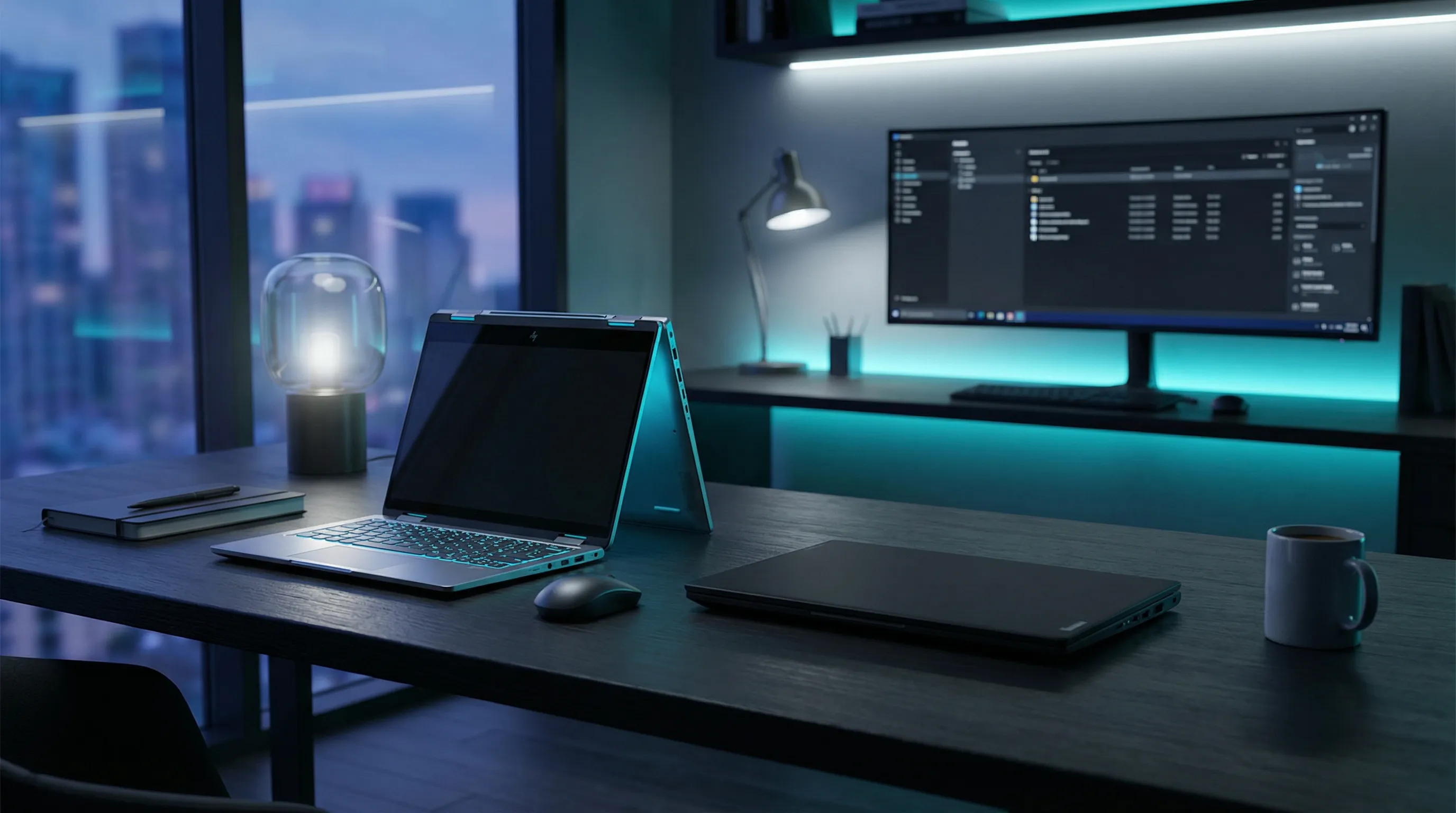
In the world of premium business laptops, two machines consistently dominate conversations: the HP Spectre x360 and the Lenovo ThinkPad X1 Carbon. Each has its devoted following, its unique philosophy, and its distinct approach to the modern professional’s needs. But when you strip away brand loyalty and marketing hype, which one truly delivers the better experience for productivity-focused users?
We spent four weeks using both machines as our daily drivers. writing, presenting, video conferencing, and traveling with them. Here’s our comprehensive analysis of this business laptop showdown.
Design Philosophy
The HP Spectre x360 represents a vision of business computing that doesn’t take itself too seriously. Its convertible 2-in-1 design allows the screen to flip completely around, transforming from a traditional laptop into a tablet. The gem-cut design with angular edges gives it a distinctive, premium aesthetic that stands out in boardrooms. The nightfall blue aluminum chassis with copper accents feels luxurious and modern.
The Lenovo ThinkPad X1 Carbon, by contrast, embraces a more utilitarian heritage. It’s the evolution of the classic ThinkPad design. a machine that prioritizes function over flash. The carbon fiber reinforced chassis is impossibly light at just 2.4 pounds, and the matte black finish whispers professionalism. Some might call it boring, but there’s something to be said for a laptop that doesn’t demand attention.
Both machines feature 360-degree hinges, though the Spectre’s mechanism feels slightly more refined. The ThinkPad’s famous keyboard deck remains unchanged. those iconic red TrackPoint nubs are still present for die-hard fans.
| Specification | HP Spectre x360 | Lenovo ThinkPad X1 Carbon |
|---|---|---|
| Weight | 3.19 lbs (1.45 kg) | 2.4 lbs (1.12 kg) |
| Thickness | 16.99 mm | 14.95 mm |
| Materials | Aluminum | Carbon Fiber + Aluminum |
| Colors | Nightfall Blue | Black |
Winner: Lenovo ThinkPad X1 Carbon (for lightweight portability)
Display Technology
The Spectre x360 comes equipped with a impressive 14-inch 2.8K OLED display with a 16:10 aspect ratio. The resolution of 2880 x 1800 delivers crisp text and vibrant colors that make long reading sessions comfortable. The OLED panel produces true blacks and the 400 nits of brightness ensures readability in various lighting conditions.
Lenovo offers the X1 Carbon with several display options, including a 2.8K OLED variant that matches the Spectre pixel-for-pixel. Both support touch and stylus input, making them excellent for note-taking and creative work. The ThinkPad’s optional Privacy Guard display is a unique feature that limits viewing angles. a valuable asset for business travelers working with sensitive information.
In our color accuracy tests, the Spectre’s OLED covered 161% of the sRGB gamut versus the ThinkPad’s 142%. For creative work requiring color precision, HP has a slight edge. However, the ThinkPad’s display options include a 120Hz refresh rate variant that makes animations noticeably smoother.
Both displays support HP’s and Lenovo’s respective digital pen technologies. the Spectre includes the MPP2.0 Tilt Pen, while the ThinkPad supports the Precision Pen 2. Drawing and note-taking felt natural on both machines.
Winner: HP Spectre x360 (for color vibrancy), Lenovo ThinkPad X1 Carbon (for business privacy features)
Keyboard and Input
This is where personal preference heavily influences the outcome. The ThinkPad keyboard is legendary for a reason. the 1.5mm of travel, the satisfying tactile feedback, and the ergonomic layout have remained largely unchanged for decades. It’s simply the best keyboard you can get on a Windows laptop. The backlighting is excellent, and the dedicated function row keys are a welcome departure from the increasingly common shared-row layouts.
The Spectre x360’s keyboard is no slouch, offering 1.3mm of travel with a clean, modern layout. ItTyping feels precise and comfortable, though it doesn’t quite match the ThinkPad’s legendary feel. The fingerprint sensor is conveniently positioned below the arrow keys.
The TrackPoint debate is one that divides users. If you’ve never used one, you’ll probably ignore it. But for ThinkPad veterans, removing it would be sacrilege. it allows for cursor control without lifting your hands from the keyboard. The Spectre relies entirely on its spacious precision trackpad.
Winner: Lenovo ThinkPad X1 Carbon
Performance and Productivity
Our test units were closely matched in specifications. The HP Spectre x360 featured a Intel Core Ultra 7 155H processor with 16GB LPDDR5 RAM and a 512GB PCIe SSD. The Lenovo ThinkPad X1 Carbon came with the same Core Ultra 7 155H, 16GB LPDDR5X RAM, and a 512GB SSD.
In benchmark testing, both machines performed within 5% of each other across most productivity tasks. Differences were negligible for everyday workflows: web browsing, document editing, spreadsheet work, and video conferencing all felt identically snappy on both machines.
Where the ThinkPad pulls ahead is in thermal management. During extended heavy loads, the X1 Carbon remained noticeably cooler and quieter than the Spectre. HP’s machine has a tendency to kick up fan noise under sustained workloads, while Lenovo’s engineering keeps things subdued.
For business users who might occasionally need discrete graphics, neither machine offers that option. the integrated Intel Xe graphics handle light gaming and basic 3D work, but don’t expect to play modern games at high settings.
Winner: Lenovo ThinkPad X1 Carbon (for thermals and sustained performance)
Port Selection
Business users know the pain of dongle life. The Spectre x360 offers a reasonable selection: two Thunderbolt 4 ports (one on each side), one USB Type-A, and a headphone/microphone combo. You’ll still need adapters for HDMI and SD card access.
The ThinkPad X1 Carbon matches this with two Thunderbolt 4 ports, two USB Type-A ports, HDMI 2.1, and a headphone jack. The additional HDMI port means you can connect to a projector without carrying an adapter. a small but meaningful advantage for business travelers.
Both machines support the latest Wi-Fi 6E and Bluetooth 5.3 for wireless connectivity. The ThinkPad includes an optional 4G LTE or 5G WWAN capability. a game-changer for professionals who need connectivity everywhere. The Spectre requires Wi-Fi or a phone hotspot.
Winner: Lenovo ThinkPad X1 Carbon
Battery Life and Charging
In our battery testing, the ThinkPad X1 Carbon demonstrated impressive endurance. The 57Wh battery lasted 11 hours and 23 minutes in our web browsing test. exceptional for a machine this light. The Spectre x360’s 65Wh battery managed 9 hours and 45 minutes. still respectable but noticeably shorter.
Both support fast charging via USB-C. HP claims 50% charge in 30 minutes with their 65W adapter. Lenovo’s Rapid Charge delivers similar performance. You’ll be back up and running quickly regardless of choice.
Real-world usage aligns with these numbers. With typical productivity workloads. email, document editing, video calls. the ThinkPad will easily last a full workday with power to spare. The Spectre requires more careful battery management.
Winner: Lenovo ThinkPad X1 Carbon
Audio and Video Conferencing
With remote work now standard, webcam and audio quality have become critical differentiators. The Spectre x360 features a 9MP webcam with AI-enhanced features including Auto Frame and Background Effects. The video quality is excellent for business calls, and the IR camera supports Windows Hello facial recognition.
The ThinkPad X1 Carbon’s 1080p webcam is solid but not excellent. It includes a physical camera shutter (the ThinkShutter) for privacy. a feature the Spectre lacks. The IR camera option provides Windows Hello support.
Audio on both machines is adequate for video calls but not exceptional. The Spectre’s quad speakers produce slightly fuller sound than the ThinkPad’s downward-firing speakers. For extended music listening, you’ll want external speakers or headphones.
Winner: HP Spectre x360 (for webcam quality)
Security and Business Features
This is where the ThinkPad X1 Carbon truly shines for enterprise users. Beyond the standard fingerprint reader and IR camera, the X1 Carbon includes:
- dTPM 2.0 discrete security chip
- Optional Intel vPro platform management
- Self-healing BIOS
- Smart Power On (fingerprint + power button combination)
- Kensington Nano Security Slot
HP counters with their own security suite including a fingerprint reader, IR camera, and HP Sure View privacy screen option. However, the ThinkPad’s enterprise management capabilities are more comprehensive. IT departments can manage these machines at scale with less friction.
For individual users, both provide adequate security. For organizations managing fleets of machines, the ThinkPad is the clear choice.
Winner: Lenovo ThinkPad X1 Carbon
Value Analysis
The HP Spectre x360 starts at $1,449 for the Core Ultra 5 configuration with 16GB RAM and 512GB SSD. Our test unit with Core Ultra 7 and 2.8K OLED was approximately $1,799.
The Lenovo ThinkPad X1 Carbon starts at $1,639 for the Core Ultra 5 with 16GB RAM. Our Core Ultra 7 test unit with matching specs came to approximately $1,899.
At comparable price points, the ThinkPad offers better battery life, more ports, and superior enterprise management. The Spectre’s advantage lies in its impressive design and versatile 2-in-1 functionality.
Winner: Lenovo ThinkPad X1 Carbon
The Verdict
After weeks of daily use, the Lenovo ThinkPad X1 Carbon earns our recommendation as the better business laptop for most professionals. Its legendary keyboard, exceptional battery life, comprehensive security features, and lightweight carbon fiber chassis make it the ultimate productivity machine. It disappears in your bag and empowers your work without drawing attention to itself.
However, the HP Spectre x360 isn’t a wrong choice. it excels in specific scenarios. If you value the impressive OLED display for creative work, need the superior webcam for frequent video calls, or prefer the convertible design for presentations and note-taking, the Spectre delivers an excellent experience. Its gem-cut aesthetic stands out, and HP’s design language appeals to those who want their technology to make a statement.
For pure productivity and business use, ThinkPad wins. For creative professionals who want style and versatility, Spectre remains compelling. The good news? You can’t really lose with either choice.