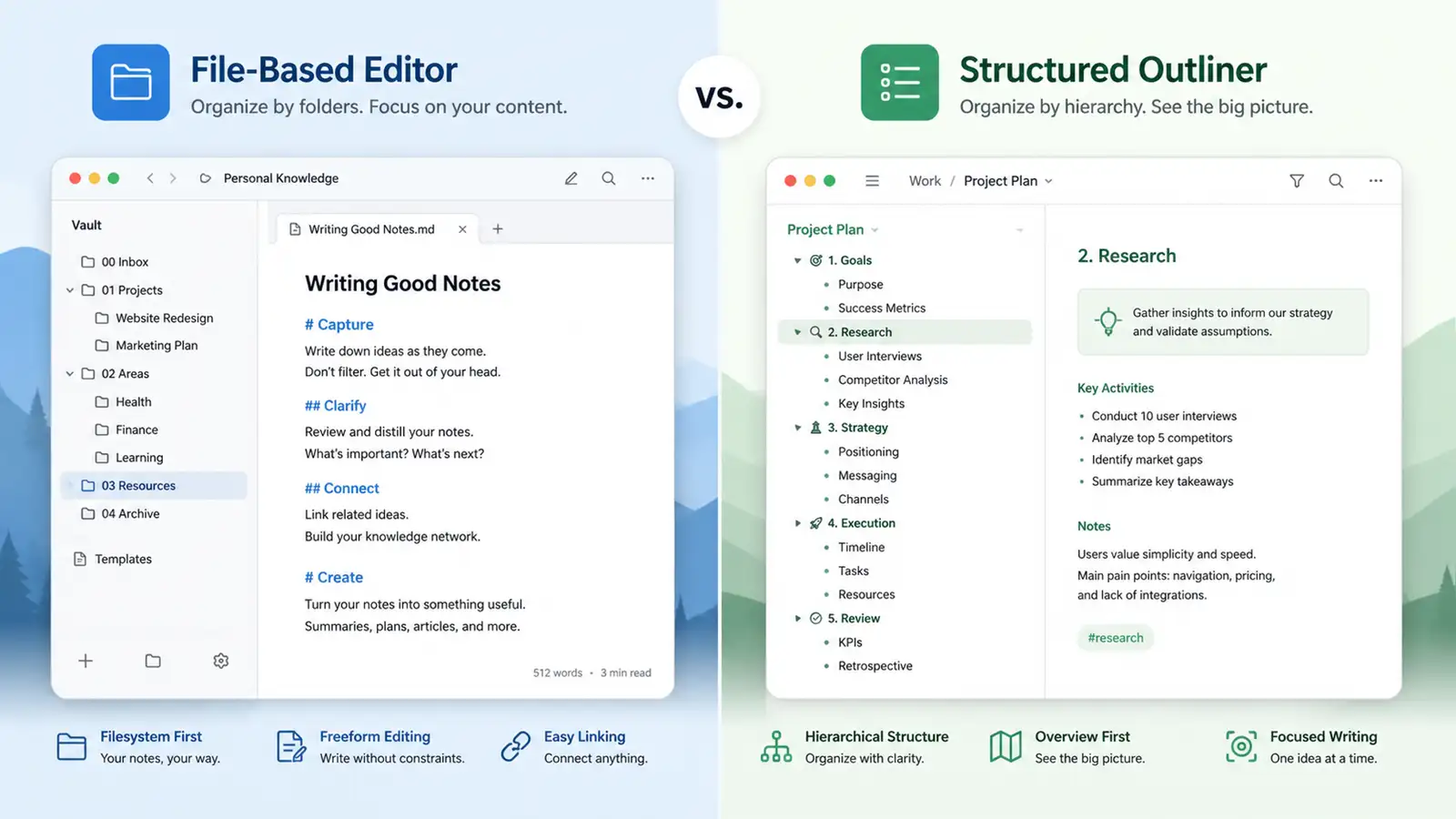
The note-taking app market split into two camps years ago: file-based tools that treat text files as the fundamental unit, and outliner tools that treat individual blocks as the unit. Obsidian and Logseq are the most prominent representatives of each philosophy. For years, the comparison was straightforward — Obsidian was the polished, scalable choice; Logseq was the scrappier outliner with a passionate community but real rough edges.
Logseq 2.0, which moved to a database-based foundation while introducing Markdown Mirror for portability, changed the terms of that comparison. The question is no longer just “file vs block.” It is whether a database-backed outliner can match the reliability and ecosystem of a file-based editor that has been refining its model for years.
Core philosophy: file vs block
Obsidian is a Markdown editor where the file is the unit of thought. Every note is a .md file on your file system. You can open it in any text editor, version control it with Git, sync it with any service that handles files, and back it up with tools you already use. The vault is just a folder of files. That simplicity is its greatest strength.
Logseq is an outliner where the block is the unit of thought, built around a daily journal. Each bullet point has its own identity, which means you can reference or embed a single block somewhere else and it stays live. This makes Logseq unusually good at accumulating thoughts across many days without copy-paste. You write a bullet on Monday, reference it on Wednesday, and the connection persists automatically.
The difference shows up in daily use. Long-form prose inside a bullet outline fights you every paragraph. An empty Obsidian vault gives you no opinion about where anything should go. One tool constrains your format; the other offers no structure at all. Which friction you prefer depends on how you think.
Where Logseq wins
Logseq is the better tool when capture speed matters more than composition. The journal-first design is built for exactly this: you open the app, start typing in today’s journal, and sort later. The outliner format means you never face a blank page. You just add a bullet. For people who think in fragments — researchers collecting papers, developers tracking issues, students jotting lecture notes — this workflow is faster than creating a new file, naming it, and deciding where it lives.
Logseq also wins on built-in task management. States and queries are native features, not plugins you have to assemble. You can mark a bullet as TODO or DONE, filter by status, and build dynamic views of your tasks without installing anything. Obsidian has task plugins, but they require configuration and do not integrate as deeply with the core experience.
The new database foundation in Logseq 2.0 adds structured collections with custom fields, filtering, and sorting. Instead of forcing everything into flat pages, you can create databases for tracking projects, managing research, or organizing software you are testing. Multiple views let you look at the same data as a table, a board, or a list. This is functionality that Obsidian only approximates through plugins like Dataview, and Logseq now offers it natively.
For teams that need to track recurring processes — editorial calendars, research pipelines, issue trackers — the built-in database is a significant workflow improvement. You can create a collection for articles in progress, add fields for status, deadline, and word count, and switch between a table view for overview and a board view for workflow management. Doing the same thing in Obsidian requires Dataview queries, frontmatter conventions, and community plugins that may break across updates.
Where Obsidian wins
Obsidian’s advantage is scale and reliability. Vaults passing 10,000 notes are common in the Obsidian community. Outliners historically struggle at that scale because block-level identity creates overhead that compounds as the graph grows. Obsidian’s file-based model does not have this problem because each file is independent.
The plugin ecosystem is another significant edge. Obsidian has over 1,000 community plugins covering everything from spaced repetition to project management to calendar integration. Logseq’s plugin ecosystem is smaller and less mature. For users who want to customize their setup extensively, Obsidian offers more options with fewer caveats.
Plain file access remains Obsidian’s strongest selling point for data ownership advocates. Your notes are files. They do not depend on any application to be readable. If Obsidian disappeared tomorrow, your vault would still open in VS Code, vim, or TextEdit. Logseq 2.0’s Markdown Mirror addresses this concern by generating standard Markdown files that mirror the database content, but the feature is new and its long-term reliability is unproven.
Sync and version control also favor Obsidian. Because the vault is a folder of files, Git-based sync works without caveats. Obsidian’s own sync service is mature and handles conflicts gracefully. Logseq’s sync story is less clear, particularly with the database changes in 2.0. For users who work across multiple devices, the reliability of sync is not a nice-to-have. It is a requirement.
Obsidian’s community is also larger and more established. The forums, tutorials, and third-party resources are extensive. When you run into a problem, there is usually a forum post, a YouTube walkthrough, or a plugin that addresses it. Logseq’s community is growing but has not reached the same density of documented solutions.
The Markdown Mirror question
Logseq 2.0’s Markdown Mirror is the feature that changes the comparison most significantly. It automatically generates standard Markdown files that mirror the database content, meaning your notes remain portable outside the app. You can browse them in your file system, back them up with Git, or open them in another Markdown editor.
This is a genuine answer to the portability concern that kept many users on Obsidian. If the mirror works reliably — and early reports suggest it does — then Logseq’s database advantages no longer come at the cost of data lock-in. The notes are yours in a format any tool can read.
The caveat is that Mirror is new. It has not been tested across years of use, version upgrades, and edge cases. For users who need guaranteed portability today, Obsidian’s file-based model is still the safer bet. For users willing to trust an actively developed feature, Logseq 2.0 now offers the best of both worlds: database power with file-level portability.
Early adopters report that the mirror updates in real time as you edit blocks, and the generated Markdown files are clean enough to use directly in other tools. The main limitation is that some Logseq-specific features — block references, embeds, and advanced queries — do not translate perfectly to plain Markdown. The mirror preserves the content but not all the relational structure.
Performance and polish
Previous versions of Logseq felt experimental. The interface was functional but unpolished, and performance degraded with large graphs. Logseq 2.0 changes that impression. Everything feels more cohesive, and the new foundation opens the door for features that simply were not possible before.
Obsidian, by contrast, has always felt polished. The interface is clean, the performance is consistent even with large vaults, and the update cadence is regular without being disruptive. For users who value stability over novelty, Obsidian’s track record is reassuring.
The performance gap has narrowed with 2.0, but it has not disappeared. Users with very large knowledge bases — 20,000 plus notes — still report better performance in Obsidian. For typical use cases of 1,000 to 5,000 notes, the difference is negligible.
The learning curve is another factor. Obsidian’s file-based approach is intuitive for anyone who has used a text editor. Logseq’s outliner model, block references, and database features require more upfront investment. The payoff is a more powerful workflow, but the initial friction is real.
Both apps run on desktop and mobile, though the mobile experience differs. Obsidian’s mobile app is a faithful port of the desktop experience. Logseq’s mobile app has improved but still feels like a secondary platform, particularly for the outliner workflow where precise cursor placement matters.
Pricing and licensing
Obsidian is free for personal use with optional paid services (Sync at $4 per month, Publish at $8 per month). The core app costs nothing, and the commercial license for business use is $50 per user per year.
Logseq is open-source under AGPL-3.0. The app is free, and there is no paid tier for core features. For users who require an open-source license for compliance or philosophical reasons, Logseq is the only option.
The pricing difference matters less than it appears. Both apps are free for the core experience. The real cost is the time you invest in learning the tool, building your workflow, and migrating your notes if you switch. That switching cost is high enough that most users pick one and stick with it for years.
The verdict
Choose Obsidian if you write long-form content, need a vault that will scale to tens of thousands of notes, want the largest plugin ecosystem, or consider plain file access non-negotiable. The file-based model is proven, portable, and unlikely to surprise you.
Choose Logseq if you capture thoughts throughout the day, need built-in task management, want native database features without plugin assembly, or prefer the outliner format for rapid note-taking. Logseq 2.0’s database foundation and Markdown Mirror make it a more serious contender than it has ever been.
The honest answer for many users is that both tools are good enough to use indefinitely. The differences are real, but they are differences of workflow preference, not fundamental capability. Pick the one that matches how you think, and stop worrying about the other one.
One practical suggestion for anyone still undecided: try Logseq for two weeks with your actual daily notes, then try Obsidian for two weeks with the same material. The experience of using each tool will tell you more than any comparison article. The tool that feels natural after fourteen days is the one you will still be using in fourteen months.
The note-taking landscape will keep shifting. Both apps are under active development, and the features that define them today may look different in a year. What will not change is the fundamental tradeoff: files versus blocks, structure versus freedom, proven reliability versus emerging power. Understanding that tradeoff is the real value of this comparison, regardless of which tool you choose.