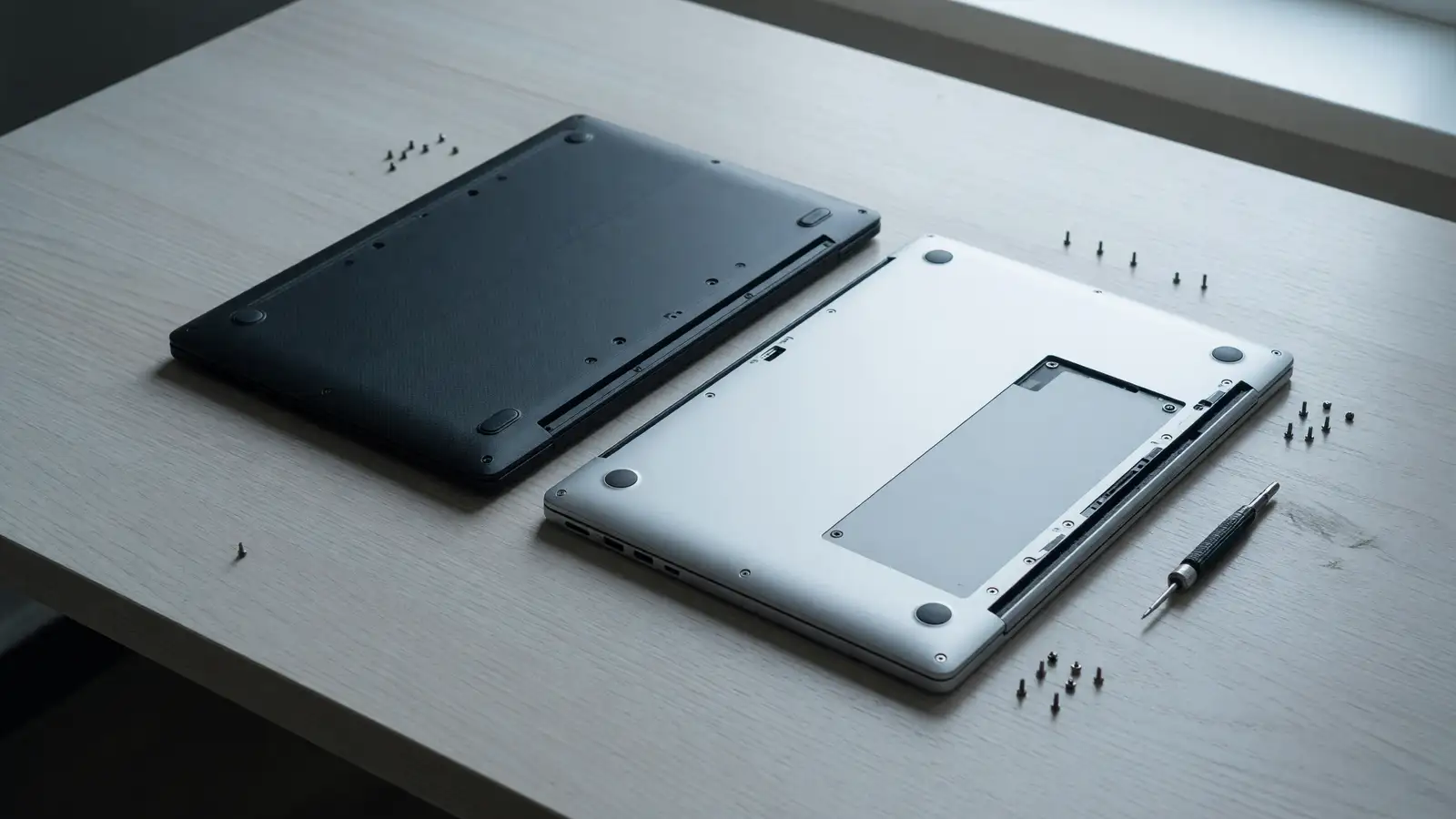
ZDNET’s Kyle Kucharski updated a ThinkPad X1 Carbon Gen 14 Aura Edition review on October 5 and led with repairability. Space Frame, double-sided board, battery and keyboard and ports on standard screws. Then the same review lists soldered RAM, average battery, and $3,814 at Best Buy for the configuration they posted. The chassis opened. The DIMMs did not.
Ultrabookreview’s October 6 comparison puts a MacBook Air 13 at $1,299 and an Air 15 at $1,499 against a Carbon that starts around $2,000 on their card (ZDNET’s own start is $2,199). If you wanted a flagship Windows ultraportable with a serviceable keyboard, this week’s Carbon is the news. If you wanted the cheaper daily machine, the Air is still the price.
We already ran Gen 13 against the M5 Air. Gen 14 is a different claim: modular frame, same soldered memory.
What ZDNET actually scored
ZDNET: 4.0 / 5, “Very good,” and a lab badge for fastest Wi-Fi in a business laptop. Pros: light, Space Frame repairability, display, the usual premium ThinkPad feel. Cons: soldered RAM, average battery life, pricey once you option it.
Start config they name: $2,199, Intel Core Ultra 5, 32 GB RAM, 256 GB SSD. RAM options 32 or 64 GB, both soldered. Top CPU they list: Core Ultra 7 355 “Panther Lake” with vPro, LPE-cores up to 3.60 GHz, P-cores up to 4.80 GHz Turbo, 8 cores, 8 threads, 12 MB cache. Wi-Fi 7. Optional 5G with embedded eSIM.
Displays: 2.8K OLED touch, 500 nits, 120 Hz VRR at the top; 60 Hz WUXGA IPS non-touch at the bottom. The review unit was IPS at 500 nits.
Space Frame is the sentence Lenovo wants. Double-sided motherboard so battery, keyboard, and ports can come out without a funeral for the whole board. Kucharski treats that as a real shift for IT stock. He also says it does not “completely change the game yet,” because the RAM is still a solder joint.
$3,814 at Best Buy is not the $2,199 door. If a cart shows the OLED, 64 GB, and a bigger SSD, you are in the number ZDNET posted next to the buy link. Compare that to an Air 13 at $1,299 before you call either machine a value play.
What the Air still is, per this week’s comparison
Ultrabookreview’s advice is blunt. If you are fine on Apple’s OS and you have a middling budget, the Air does the job for less. If you need a flagship Windows ultraportable that you intend to keep, with the keyboard and trackpad habit ThinkPad buyers already have, get the Carbon.
They cite MacBook base memory and storage as 16 GB RAM and 512 GB SSD. That 16 GB is half the Carbon’s 32 GB door, and the Air’s 512 GB door is twice the Carbon’s 256 GB door. You are not comparing equal kits. You are comparing a $1,299 13-inch Air to a $2,199 Windows 14-inch that starts with more memory and less disk.
Repair is the other axis they name: the latest Carbon is easier to service than Apple, which they describe as harder or at least more expensive when something breaks. ZDNET’s Space Frame is the concrete version of that sentence for battery, keyboard, and ports. It is not a Framework-style board swap for RAM. If RAM is the part you expected to upgrade in year three, neither machine is that fantasy. The Framework 13 Pro comparison we already ran against a MacBook Pro is the product that still sells the upgrade story. The Gen 14 Carbon sells replaceable other parts.
Ultrabookreview also puts the Carbon OLED non-touch magnesium variant around 1 kg, versus a Yoga 9i around 1.3 kg. One of their tables lists a Carbon around 2.2 lb (0.99 kg) before the charger. The Air’s whole pitch remains weight plus the $1,299 start. ZDNET did not publish a battery-hour number in the extract we have, only “average.” Do not invent a 12-hour chart. Average versus Apple’s marketing hours is already enough to make the Air the travel pick until someone posts a side-by-side rundown on this chassis.
Repairability with an asterisk
IT buyers will screenshot Space Frame. They should also screenshot “soldered RAM.”
Replaceable battery is the line that matters if you keep laptops four years. Replaceable keyboard is the line that matters if you have a fleet that drinks coffee. Replaceable ports are the line that matters if USB-C wells fail. Those are the three parts ZDNET names. RAM is not on the list. Storage is not named as a user swap in the review extract. Do not tell a CFO the machine is “fully modular.”
Apple still loses this comparison on serviceability as Ultrabookreview wrote it. That does not make the Carbon cheap to own. $2,199 start, 256 GB, soldered 32 GB, average battery. $3,814 if you shop the Best Buy configuration ZDNET linked.
If your repair story is “we send it to Lenovo and get a keyboard back,” Gen 14 is the first X1 Carbon in this series that matches the pitch. If your repair story is “we bump RAM next autumn,” buy something else or buy the RAM now.
The EliteBook X versus X1 Carbon Gen 13 fight was a different generation. Do not paste those scores onto Panther Lake.
Specs that actually change a cart
| ThinkPad X1 Carbon Gen 14 | MacBook Air (Ultrabookreview’s US start) | |
|---|---|---|
| Street start | $2,199 (Ultra 5, 32 GB, 256 GB) per ZDNET | Air 13 $1,299; Air 15 $1,499 |
| Config ZDNET posted | $3,814 at Best Buy | not listed |
| Memory | 32 or 64 GB, soldered | 16 GB at the base they cite |
| Storage at the door | 256 GB | 512 GB |
| CPU they highlight | up to Core Ultra 7 355, 8 cores / 8 threads | Apple silicon, not re-tested here |
| Repair this week | Space Frame: battery, keyboard, ports | harder / costlier, per Ultrabookreview |
| Battery as reviewed | ”average” (ZDNET) | not a number in these two pieces |
| Radio | Wi-Fi 7, optional 5G eSIM | not the subject of the ZDNET badge |
The Wi-Fi badge is ZDNET’s lab note. It is not a reason to pay $3,814 if you work at a kitchen table.
OLED 120 Hz is the Carbon splurge. IPS 500 nits in the review unit is the grown-up panel. If you do not have a need for touch OLED, the IPS config is the one Kucharski actually lived with.
Who should take which box
Take the Air if you already live in Apple’s apps, you want the $1,299 door, and you do not have a Windows-only line-of-business client. 16 GB / 512 GB at the base they cited is a cleaner starter kit than 32 GB / 256 GB at $2,199, unless your workload is RAM-heavy and disk-light.
Take the Carbon if Windows is non-negotiable, you like the keyboard enough to pay for it, and someone in IT will use the screws. Budget 64 GB at purchase if you were dreaming of an upgrade. Budget a bigger SSD at purchase because 256 GB is a cloud subscription with extra steps.
Take neither if the point of the shopping trip was user-upgradable RAM. That product is still the Framework, not this ThinkPad.
Winner
MacBook Air.
The Gen 14 Carbon is the more interesting machine this week. Space Frame is a real change from the sealed slabs everyone else shipped. ZDNET’s 4.0 and the Wi-Fi badge are earned on a business chassis. None of that beats a $1,299 Air 13 when the Carbon’s memory is still soldered, the battery is “average,” and the Best Buy number next to the review is $3,814.
Fleet buyers should price a keyboard and a battery as spare SKUs if Lenovo sells them separately for this chassis. ZDNET’s review is the first time this generation that those parts are the point. If the parts list does not exist yet, you are buying a story.
The 8-core / 8-thread Ultra 7 355 is not a video-export argument against Apple silicon. ZDNET did not publish a Cinebench table in the extract we used. Treat Panther Lake as “this year’s vPro badge plus Wi-Fi 7,” not as a win you can quote in a comment thread.
256 GB at $2,199 is the config that will push people into OneDrive. 512 GB at $1,299 on the Air 13 is why the Air still wins a first-machine purchase. If your job is offline video or local VMs, neither door is the machine. Spec the Carbon SSD up, or do not shop this pair.
OLED 2.8K 120 Hz is a reason to stay in the Lenovo cart if you already paid for ThinkPad money and you look at the panel six hours a day. It is not a reason to leave macOS. IPS 500 nits is the configuration Kucharski actually carried. Start there unless you have a touch requirement.
Optional 5G with embedded eSIM is a Carbon line the Air comparison did not try to match in these two pieces. If you live on a phone hotspot, ignore it. If you are on a plane once a week and Windows is required, it is a checkbox, not a $3,814 justification.
Ultrabookreview’s “middling budget, fine with Apple OS” sentence is the winner in one line. ZDNET’s Space Frame paragraph is the loser in one line if you needed upgradable RAM. Together they are enough to close the tab.
Haptic touchpad and the red mouse button are why Carbon buyers stay. They are not in the Air. They also are not $2,000 of reasons if your files already live in iCloud. Be honest about which habit you are paying for.
vPro on the Ultra 7 355 is the fleet checkbox. Home users can ignore it. IT cannot. It still does not unsolder the RAM.
If Lenovo had put the RAM on the same screw list as the battery, this paragraph would go the other way. They did not. Buy the Air unless you already know you need Windows and a keyboard you can replace.