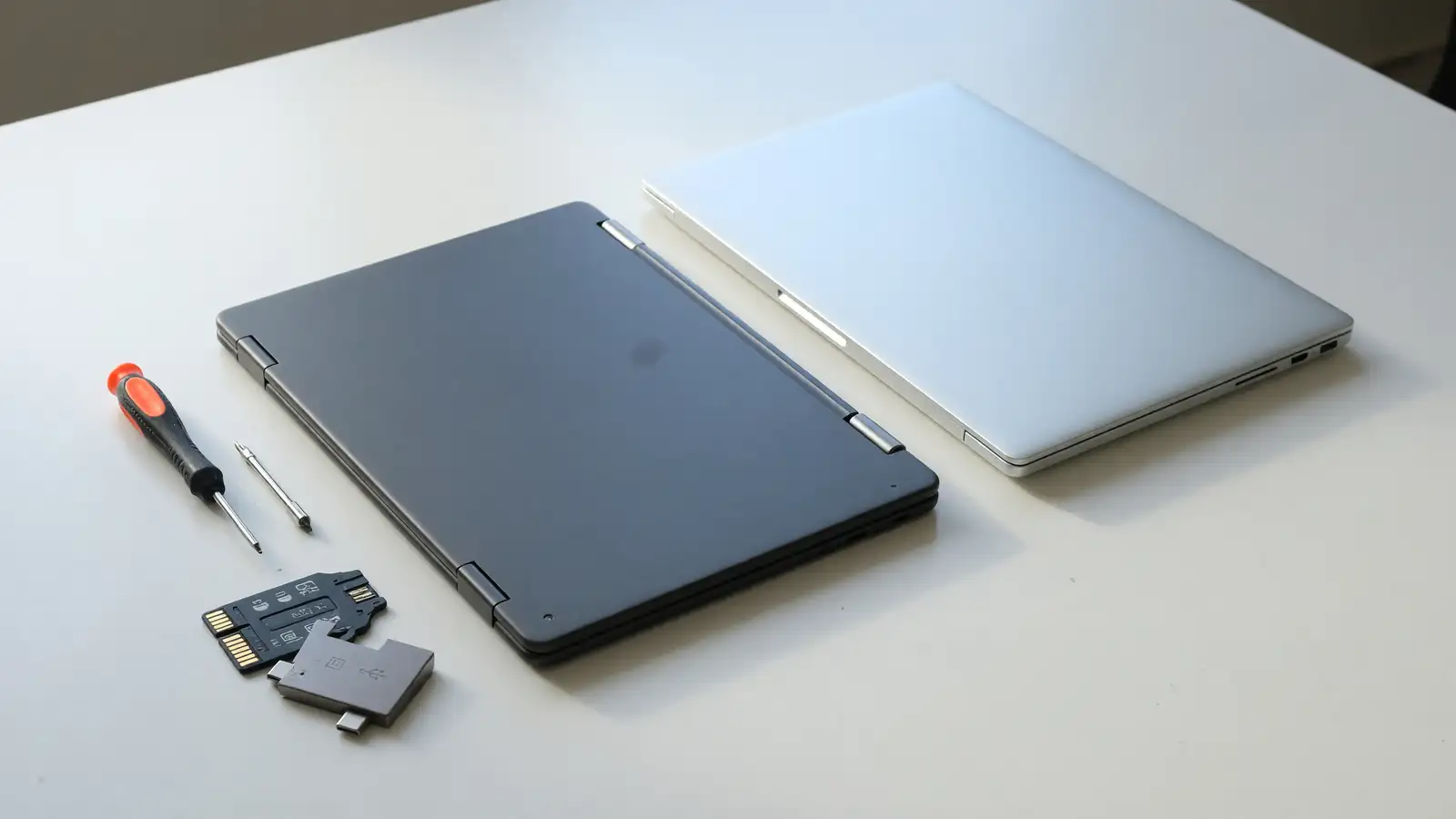
Tom’s Hardware lifted the embargo on the Framework Laptop 12 with Intel Wildcat Lake on October 13. As tested: Core 7 350, 12.2-inch 1920×1200 touch at 60Hz, 50Wh battery, Fedora 44, 2.8 pounds, $1,491 configured, $1,384 without the expansion cards and the 60W GaN brick. Four user-picked modules. Rear two do Thunderbolt 4 and DisplayPort Alt. All four do USB 3.2 Gen 2 and USB-PD. 3.5mm jack is standard. Hardware privacy switch on a 1080p30 camera.
The same review uses the Dell XPS 13 as the machine you would actually consider instead. XPS 13 on Wildcat Lake: 2.2 pounds, 0.5 inches thick, aluminum, 120Hz, a higher 2.5K panel, also a touchscreen. Framework is 0.72 inches thick. About 50 nits separate the brightness numbers in that write-up, in the XPS’s favor or close enough that Tom’s Hardware does not want to split hairs. The display gap would be easier to swallow if the prices were far apart. They are not.
Phoronix had the Linux version of the same week: shipping in October after an August announcement, Fedora with KDE as a preload, single-channel DDR5, review unit on Core 7 350 with 32GB DDR5-5600 and a WD_BLACK SN770M 500GB. Tom’s Guide put prebuilts from $699 and DIY boards from $549, then sat the 12 next to the XPS 13 and a MacBook Neo in a display lab.
We already ran Framework 13 Pro against a MacBook Pro and MacBook Neo against this XPS 13. This week the 12-inch Framework is the one that has to justify 0.6 pounds and a few hundred dollars.
The chassis is the argument
Framework 12 is a 2-in-1 you can take apart. Tom’s Guide liked the keyboard, the touch, and Linux out of the box. It did not like the glossy panel, a stylus sold separately, or the webcam. Tom’s Hardware’s as-tested machine ran Fedora 44. Phoronix’s ran Fedora with KDE. If you wanted Windows, that is a different SKU conversation. If you wanted a repairable 12-inch convertible, this is the one that shipped.
XPS 13 is the thin one. 2.2 pounds versus 2.8. 0.5 inches versus 0.72. Aluminum versus a machine whose point is screws. You do not buy Framework because it wins a millimeter contest. You buy it because a SODIMM and a module bay are the product. Tom’s Hardware’s memory line on the as-tested unit is a single DDR5-5600 SODIMM. Phoronix is explicit: Wildcat Lake is single-channel DDR5 or LPDDR5X. That is the tax. Repairable RAM that cannot run dual-channel because the platform will not.
Ports on the Framework are the other half of the chassis argument. Four cards. You choose. The XPS 13, in every recent generation, is the machine that makes you carry a dongle and then apologize. If your week is HDMI plus a second USB-C plus storage, Framework’s bay is the feature the scale does not show.
CPU names that do not match across pages
Tom’s Hardware calls the Core 7 350 a 6-core / 6-thread part, 15W to 35W, 4.8GHz turbo, Intel Xe3 with two cores. Phoronix calls the same SKU 2 P-cores plus 4 LPE cores, same 15W/35W and 4.8GHz, and lists Core 3 304 as 1P+4 LPE and Core 5 230 as 2P+4 LPE. Tom’s Guide’s price table uses Core 3 304, Core 5 320, and Core 7 350. The 320 versus 230 naming is the kind of mismatch you should not paper over. Attribute it. If you are buying, match the SKU on the store page to the review unit, not to a blog’s core count.
Geekbench 6, in Tom’s Hardware: Framework 12 on Core 7 350 is in lockstep with an XPS 13 on Core 5 320 in multi-core, and about 5 percent ahead in single-core. The MacBook Neo’s A18 still leads both, more in single-core than multi-core. Framework 13 Pro with an X7 358H is in that chart as expensive context, not as a peer. Phoronix’s line for people on the original Raptor Lake U 12: this refresh is not an automatic swap. It is for people who wanted more than the first 12.
If CPU is your whole decision, the XPS 13 at the Core 5 320 configuration is the one Tom’s Hardware says keeps up. Framework’s Core 7 350 as-tested machine is the one that costs $1,491. That is not a small delta for a 12-inch class.
The display is where XPS 13 stops being “also fine”
Tom’s Guide’s lab table is the cleanest comparison this week.
Framework Laptop 12: 451.2 nits SDR, 68.2 percent sRGB, 48.3 percent DCI-P3, Delta-E 0.26.
Dell XPS 13 (2026): 398 nits SDR and 420 nits HDR in the table as printed, 105 percent sRGB, 74.7 percent DCI-P3.
MacBook Neo: 452 nits SDR, 480 HDR, 110 percent sRGB, 78 percent DCI-P3.
Framework matches Neo on SDR brightness and then loses the gamut contest by a lot. Tom’s Guide says if you edit photos on this 2-in-1, plug in a monitor. Tom’s Hardware’s XPS 13 note is the other way: 120Hz, 2.5K, not as bright as you might want, still a better panel story than a 1200p 60Hz 12.2-inch. Glossy, in Tom’s Guide’s complaints, is the Framework’s extra tax in an office with windows.
Delta-E 0.26 on the Framework is fine for accuracy. Coverage is the problem. 68 percent sRGB is a laptop you buy for documents and a browser, then you stop pretending it is a color device. XPS 13 at 105 percent sRGB is the one that can sit next to the Neo without embarrassment.
Price is the $300 you pay for screws
Tom’s Hardware: a Framework 12 with Core 5 320, 8GB, and 500GB is nearly $300 above an XPS 13 in the same memory and storage ballpark. Acer Swift Air 14 at $700 versus a similarly configured Framework at $1,074 before the brick and the modules. We already put that Swift Air next to a Neo. Wildcat Lake machines, in that Tom’s Hardware paragraph, often top out around $1,000. Framework 12, once you leave the Core 3 304, is often at least $1,000.
Tom’s Guide’s ladder: $699 prebuilt Core 3 304 with 8GB and 512GB. $1,049 Core 5 320 with 16GB. $1,299+ Core 7 350 with 32GB. DIY from $549 if you bring RAM, storage, and an OS. The as-tested Tom’s Hardware unit at $1,491 is the configured Core 7 plus cards plus adapter. $1,384 without those extras. You can talk yourself into $699. You cannot talk the review unit into $699.
XPS 13 wins the receipt if you want the thinner aluminum 13-class machine and you are not here for a screwdriver. Framework wins the receipt only if you count years of SODIMM and board swaps. That count is real. It is also a bet. Phoronix’s “not worth it if you already have the original 12” is the same bet in the other direction.
Battery, Linux, and the winner that is not a manifesto
50Wh on a 2.8-pound 12-inch is not a small pack. It is also not a number Tom’s Hardware turned into an all-day win in the chunks that made it through. Do not invent a runtime. The adapter is a 60W USB-C GaN, optional, which is how Framework sells a laptop that is not a laptop until you add a brick. XPS 13 ships like a finished product. That sentence will annoy Framework buyers. It is still the sentence.
Linux is the Framework 12’s other finished product. Fedora 44 on the Tom’s Hardware unit. Fedora plus KDE as a factory option in Phoronix. Tom’s Guide calls Linux support seamless. If your XPS 13 plan is Windows and a dock, that paragraph is not for you. If your plan is a small Linux 2-in-1 you can fix, it is the paragraph.
Winner, for the person who just wants a thin 13-class Windows-adjacent laptop this week: Dell XPS 13. Lighter. Thinner. Better gamut in Tom’s Guide’s lab. Cheaper in the 8GB comparison Tom’s Hardware ran. 120Hz and 2.5K. You give up the module bay and the SODIMM.
Winner, for the person who will still own this chassis in 2029: Framework Laptop 12. You pay the $300, the 0.6 pounds, and the 60Hz 1200p panel. You get cards, a 2-in-1 hinge, and a machine whose point is the screwdriver. That is not the default buyer. The default buyer should not subsidize a manifesto.
Modules, webcam, and the 2-in-1 you actually fold
Framework’s four bays are the feature the XPS 13 will not grow. Rear two: Thunderbolt 4 and DisplayPort Alt. All four: USB 3.2 Gen 2 and USB-PD. If you live on a single USB-C charger and an HDMI lecture hall, that is two cards and two left over for storage or a second display. The 3.5mm jack is on the chassis even if you buy zero cards. XPS 13 buyers already know the dongle math. Do not relitigate it. Count the cards you would actually plug in. If the answer is one USB-C, you are paying for a bay you will leave empty.
The 2-in-1 hinge is why Tom’s Guide keeps saying convertible. XPS 13, in the comparison Tom’s Hardware ran, is a clamshell you do not fold flat. If you annotate PDFs, Framework’s touch panel is the reason to swallow 60Hz. If you do not, the hinge is weight. 2.8 pounds is the convertible tax next to 2.2.
Webcam: Tom’s Guide called the image disappointing. Tom’s Hardware notes a 2MP 1080p30 sensor and a hardware privacy switch. The switch is the Framework habit. The image is the part you notice on a stand-up. XPS 13’s camera history is its own running joke, but this week’s Framework reviews are not a webcam win. If the meeting is the job, neither machine is a Logitech.
Wi-Fi 7 shows up on the Framework spec sheet as Intel BE213, Bluetooth 6.0. That is fine. It is not a reason to skip the XPS. Buy the radio you get. Buy the panel you can see.
DIY at $549 is the only way the Framework 12 undercuts a configured XPS 13 on the receipt, and only if you already own RAM, a drive, and a license or a Fedora key. Tom’s Guide built one. That spark is real. It is also not the $1,491 as-tested machine in the Tom’s Hardware lede. Do not compare DIY Framework to a finished XPS and then act surprised at the total.
If you are on the fence, match the SKU. Core 3 304 at $699 is a different product from Core 7 350 at $1,491. XPS 13 at Core 5 320 is the one that made Geekbench look like a wash. Buy that if the display and the weight are the job. Buy Framework if the job is still “I want to open it.”